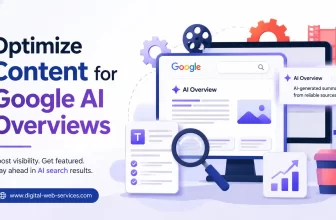
To optimize content for Google AI Overviews, write clear answers, use question-based headings, cover search intent deeply, and make your page easy for both users and search engines to understand. ...
What Is Lockdown Mode in ChatGPT? Lockdown Mode in ChatGPT is an advanced security setting that limits ChatGPT’s connection to the web, apps, external services, and certain network-based tools. Its ...
Introduction Growing website traffic is one of the primary goals for most digital businesses. Whether a company provides web development, SaaS solutions, digital consulting, or online services, ...
Traditional SEO? AI SEO focuses on making your content easy for AI search engines and large language models to understand, trust, summarize, and cite. Traditional SEO focuses on improving your ...
AI SEO is the process of optimizing your website so that traditional search engines and AI-powered answer engines can easily understand, trust, cite, and recommend your content. In simple words, AI ...
Digital marketing agencies face unique challenges in managing campaigns, tracking client data, and optimizing performance metrics. The need for integrated systems has never been greater, which is ...
Quick InsightsDebutify helps Shopify store owners create a professional ecommerce website without heavy coding or too many third-party apps. The Debutify free theme can be a good starting ...
Here's something most website owners never want to hear: your site might be working against you right now. A sluggish load time. No SSL certificate. Contact information is buried three clicks deep. ...
Getting around should not feel like a guessing game, and it definitely should not require spending a Saturday in a crowded showroom. Across Canada, more riders want cleaner travel, better value, and ...
Missed bookings sting more than people admit. They leave holes in the calendar, sure, but they also waste staff time, frustrate customers, and quietly chip away at revenue. If you run a clinic, ...
This website uses cookies to improve your experience. We'll assume you're ok with this, but you can opt-out if you wish. Cookie settingsACCEPT
Privacy & Cookies Policy
Privacy Overview
This website uses cookies to improve your experience while you navigate through the website. Out of these cookies, the cookies that are categorized as necessary are stored on your browser as they are as essential for the working of basic functionalities of the website. We also use third-party cookies that help us analyze and understand how you use this website. These cookies will be stored in your browser only with your consent. You also have the option to opt-out of these cookies. But opting out of some of these cookies may have an effect on your browsing experience.
Necessary cookies are absolutely essential for the website to function properly. This category only includes cookies that ensures basic functionalities and security features of the website. These cookies do not store any personal information.