Missed bookings sting more than people admit. They leave holes in the calendar, sure, but they also waste staff time, frustrate customers, and quietly chip away at revenue. If you run a clinic, salon, rental, service business, consulting practice, or local studio, online booking management is often the first real “test” customers give you.
And customers are not especially patient anymore. 91% of consumers encountered frustrating digital service issues in the past year… 55% of consumers abandon their purchase, 50% switch to another company, and 39% cancel their subscription.
That is a big warning sign. A smoother booking process means quicker answers, fewer errors, cleaner schedules, and a better customer experience from the start.
Why Booking Strategy Now Affects Growth
Booking used to feel like back-office admin. Not anymore. The way people schedule with you can shape how much they trust you before they ever walk in, check in, or show up.
Strong, smart business strategies make the booking experience easy for customers and realistic for your team. That balance matters. If the customer side looks polished but your staff is scrambling behind the scenes, the cracks show fast.
For busy teams that need relief, a virtual booking assistant can help property hosts, medical offices, and service providers stay on top of routine questions, confirmations, calendar updates, and customer communication without overloading the front desk.
Common Booking Breakdowns That Cost Time
Most booking problems do not look dramatic at first. One unanswered message. One confusing policy. One appointment was entered in the wrong place. No big deal, right?
Well, not quite.
Those tiny misses add up. A customer who cannot see your availability may leave. Someone who does not receive confirmation may book elsewhere. A person forced to repeat the same details twice may decide you are harder to work with than expected.
That is how messy workflows turn ready buyers into lost business.
What a Proactive System Fixes
A proactive booking setup does the heavy lifting before problems pile up. It confirms appointments, sends reminders, updates calendars, and gives your team a clear view of what is coming next.
It also gives customers more control. They can book, cancel, or reschedule without waiting for someone to call them back. Your staff gets fewer repetitive tasks, and customers feel less friction.
Once you spot where bookings usually break down, the value becomes obvious: fewer drop-offs, faster replies, and a calmer workday.
Core Features of a Strong Booking System
It is much easier to choose the right tool when you know what “good” actually means. A reliable online booking system should serve two needs at once: customers want speed, and your business needs control.
If either side is ignored, things get clunky.
Tools Every Business Should Put in Place
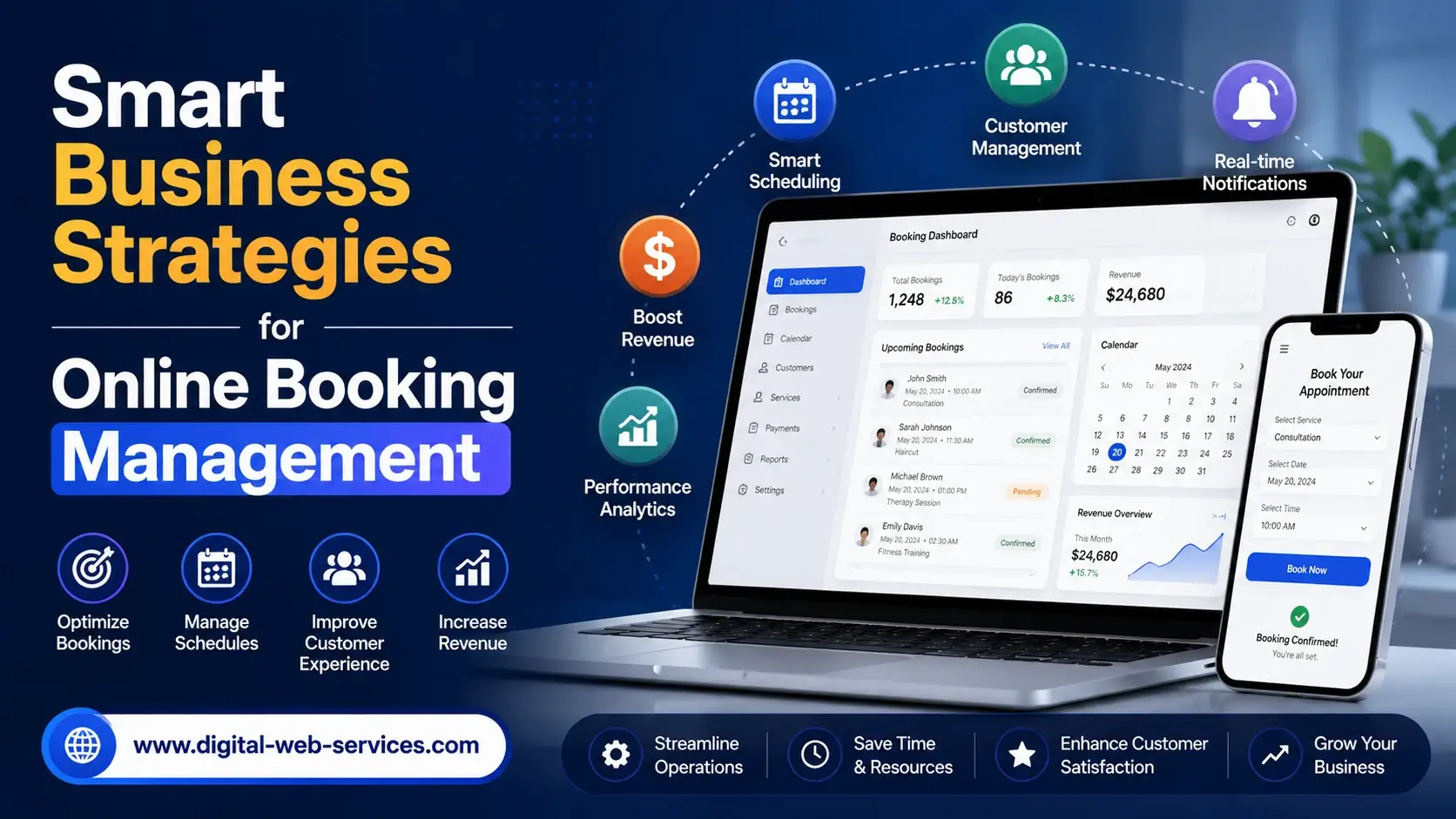
Automated reminders help reduce forgotten appointments. Real-time availability keeps customers from picking times that are already taken. Secure payment options help people commit earlier. Calendar integrations with Google, Outlook, and similar tools keep everyone on the same page.
A strong setup also helps your team manage bookings online without bouncing between spreadsheets, inboxes, sticky notes, payment apps, and three different calendars. Honestly, removing that chaos can feel like getting part of your day back.
| Feature | Why It Matters | Best Use Case |
|---|---|---|
| Automated confirmations | Cuts manual follow-up | Clinics, salons, repairs |
| Live availability | Prevents double bookings | Rentals, classes, consults |
| Payment collection | Reduces unpaid reservations | Events, coaching, hospitality |
| Calendar sync | Keeps staff schedules accurate | Multi-location teams |
Choosing the Right Platform
The best booking platform is not always the one with the flashiest dashboard. It is the one your team will actually use.
Look at your team size, budget, service model, and growth plans. You want a simple setup, clean reporting, reliable support, and enough customization to fit how your business already works.
More than 52% of participants indicated that the key factors were content simplicity and understandable product offerings through booking systems. Only about 18% of participants felt that the websites were confusing, while about 12% experienced the booking process as frustrating.
The right tool becomes more than software. It becomes part of your customer experience and your team’s daily rhythm.
Using Automation and Data to Improve Appointments
Once your booking system is running, the next question is simple: how can it make every appointment easier?
This is where automation and customer data start to shine. Fast replies, clear choices, and instant updates make efficient appointment scheduling feel natural instead of forced.
AI Support and Fewer No-Shows
AI-powered booking tools can answer common questions, suggest open times, send reminders, and help customers make changes without waiting. They are useful because they do not get tired, forget details, or miss messages during a rush.
No-shows are not always about carelessness. Sometimes customers forget. Sometimes they are unsure about the time. Sometimes rescheduling feels like a hassle, so they avoid it.
Smart reminders, waitlists, and simple change options help protect your revenue while still treating customers like humans. That is the sweet spot.
Customer Data That Guides Better Decisions
Every booking leaves clues. Busy days, popular services, repeat customer behavior, cancellation trends, and seasonal spikes all tell you something useful.
With cleaner data, you can staff more wisely, open more high-demand slots, and recommend the right service at the right moment. This is where online booking management stops being plain admin work and becomes a planning tool.
Instead of guessing what customers want, you can look at real patterns and make better calls.
Practical Scheduling Moves for Busy Teams
A booking tool works best when it does not sit in its own little corner. Connect it with calendars, customer records, messages, and payments, and your whole operation gets smoother.
That may sound basic, but basic is often where the money leaks out.
Connect Booking With CRM and Marketing
When bookings flow into your CRM, the customer relationship does not end after one appointment. You can send follow-ups, review requests, service reminders, and relevant offers without rebuilding the conversation every time.
This is especially helpful for businesses that depend on repeat visits. Think spas, repair companies, clinics, trainers, consultants, and short-term rental operators. Booking history helps you stay personal without sounding pushy.
A well-timed message feels helpful. A random blast? Not so much.
Handle Peak Times and Last-Minute Changes
Peak demand exposes weak systems fast. If your team has to manually approve every request, customers wait, mistakes multiply, and valuable slots can sit unused.
Flexible rescheduling helps both sides. Customers appreciate freedom, and businesses can fill openings through waitlists, automated alerts, and clear-cut-off rules.
The goal is not to remove every surprise. That is impossible. The goal is to make surprises less painful.
Unify Online, Phone, and In-Person Booking
Not every customer books the same way. Some go straight to your website. Some call. Some ask in person after an appointment or visit.
A central calendar keeps all those channels aligned. That makes it much easier to manage bookings online while still helping customers who prefer a real conversation.
When appointments come from several places, consistency is what keeps trust intact.
Trust, Revenue, and Loyalty Built Into Booking
A smooth booking process only works if customers feel safe using it. They need to know their information is protected, payments are secure, and your policies are clear.
People notice these details, even when they do not say it out loud.
Protect Customer Data and Payment Details
Customers should understand what information you collect, why you need it, and how it is protected. Clear privacy notices, secure payment gateways, and limited staff access all reduce risk.
If your business serves customers covered by GDPR or CCPA, compliance cannot be treated like a last-minute chore. Keep forms simple. Collect only what you need. Document consent clearly.
Trust is hard to win and painfully easy to lose.
Turn Booking Into a Revenue Channel
Once customers trust your process, your booking page can do more than reserve time. It can support revenue in a way that feels natural.
Add-ons, upgrades, deposits, packages, and related services can be offered at the right moment. The key phrase is “right moment.” If it feels helpful, customers respond. If it feels grabby, they back away.
Loyalty offers work the same way. A return guest, regular patient, or repeat client may appreciate a timely reward far more than a generic discount.
Done well, booking becomes part of retention, not just scheduling.
Lessons, Future Trends, and an Action Plan
Across hospitality, healthcare, fitness, home services, and local businesses, one lesson keeps showing up: simple systems win.
Customers want clarity. Staff need tools that do not slow them down. Owners need visibility without digging through five platforms and a half-broken spreadsheet.
What Successful Businesses Do Differently
Strong operators keep booking rules clear. They train staff on the same process. They review feedback often. Most importantly, they do not let one booking channel drift away from the main calendar.
They also use smart business strategies to match capacity with demand. That may mean reducing low-value admin work, opening more popular time slots, or sending reminders before the busiest days.
Small tweaks can create a surprisingly big lift.
What’s Coming Next
Voice booking, chatbot-driven scheduling, and more personalized booking flows are becoming more common. Not every business needs every shiny new feature, of course. You do not need to chase every trend like it is the last train out of town.
Still, customer expectations will keep moving toward faster and easier options.
Some businesses are also watching blockchain-based systems for fraud reduction and clearer booking records. It is still early, but transparency will continue to matter.
A Simple Roadmap to Start
Start by walking through your current booking journey as if you were a customer. Be honest. Where would you hesitate? Where would you get annoyed? Where would you leave?
Then review your calendar accuracy, reminder process, payment flow, cancellation policy, and reporting.
Track missed bookings, no-shows, abandoned forms, response times, and repeat bookings. Do not scale a messy process too soon. Clean the basics first, then add more channels.
That is not glamorous advice, but it works.
Final Thoughts on Smarter Booking
Better booking is not about chasing fancy tools. It is about giving customers clear choices, helping staff avoid repeated mistakes, and using data to make steadier decisions.
A dependable online booking system supports faster confirmations, safer payments, easier rescheduling, and stronger loyalty. Whether you run a rental business, clinic, studio, salon, or service team, booking should feel simple on both sides.
Audit the process now. Every wasted click, delayed reply, or confusing form can become a lost customer. Fix the friction, and you give people one more reason to choose you.
Common Questions About Managing Online Bookings
How can I reduce booking friction for my customers?
Keep forms short, show real-time availability, offer instant confirmation, and make rescheduling easy. Customers should not have to call just to fix a simple issue. Clear pricing, policies, and reminders also help reduce hesitation before booking.
Can online booking management integrate with my existing tools?
Yes, many platforms connect with calendars, CRMs, payment systems, email tools, and marketing software. Before choosing one, check compatibility with your current setup, so your team does not have to copy details between systems by hand.
What is the ROI of upgrading my appointment scheduling process?
ROI usually comes from fewer missed appointments, less staff admin time, faster confirmations, and more repeat bookings. The biggest gains often show up when automation replaces manual follow-up, and customers can book or change appointments without delays.

Maria Jain is a Senior Content Strategist and Tech Editor at Digital Web Services, with over 6+ years of experience covering digital marketing, website development, and search engine optimization. She specializes in WordPress site architecture, AI technologies, Web Hosting, topical authority models, and hands-on SaaS & affiliate tool reviews. Maria combines data-driven SEO practices with deep web design and technical insights to publish transparent guides, tool comparisons, and strategic tutorials for digital growth.