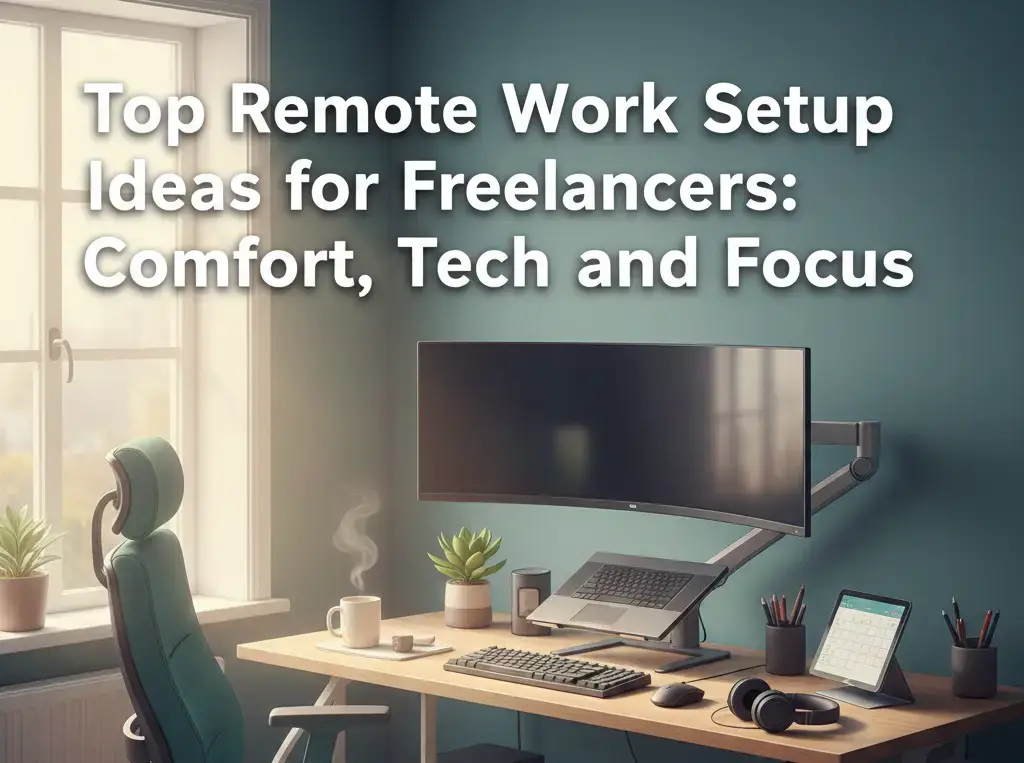
As a freelancer, creating a functional and comfortable remote work setup is essential for maintaining productivity and avoiding burnout. A great freelance remote setup combines ergonomics, essential tech, organization, and boundaries to provide a space that fosters focus and creativity. Here are the best ideas to help you build your ideal remote workspace.
Ergonomics & Comfort
Ergonomic Chair & Desk
A supportive chair and desk at the right height are crucial for comfort. An ergonomic chair supports proper posture, which can help prevent back pain and discomfort during long working hours. Opt for a height-adjustable desk for the option to alternate between sitting and standing.
Laptop Stand & Accessories
Keep your screen at eye level with a laptop stand. This reduces neck strain, allowing you to work more comfortably. Pair it with an external keyboard and mouse to avoid wrist strain and ensure a smooth typing experience.
Lighting
Proper lighting can make a huge difference. Maximize natural light during the day to keep your workspace bright and energizing. If that’s not possible, invest in a good desk lamp with adjustable settings for a warm and comfortable ambiance.
Essential Tech
Reliable Internet
A fast and stable internet connection is the backbone of remote work. Ensure your Wi-Fi is strong enough to support video calls, file sharing, and other work-related tasks. Consider upgrading your internet plan if you face frequent disconnections.
Dual Monitors
If you want to boost your multitasking and efficiency, dual monitors are a game changer. Having two screens allows you to work on multiple projects simultaneously, reducing time spent switching between tabs or applications.
Noise-Canceling Headphones
Noise-canceling headphones are essential for staying focused, especially in noisy environments. Whether you’re joining video calls or working on deep tasks, these headphones help block distractions and improve your overall work experience.
Webcam & Microphone
For professional video calls, invest in a high-quality webcam and microphone. This ensures you look and sound clear during meetings, which is crucial for maintaining professionalism.
Power Backup
A power backup, such as an uninterruptible power supply (UPS) or power banks, is a must-have. It ensures that your work continues without interruptions in case of power outages.
Organization & Focus
Dedicated Space
Designate a specific area in your home for work. Whether it’s a whole room or just a corner, having a dedicated space helps you separate work from personal life and reduces distractions.
Minimize Clutter
A cluttered desk can lead to a cluttered mind. Keep your workspace tidy with shelves, drawers, or desk pads for storage. A clean, organized space promotes better focus and efficiency.
Cable Management
Tidy up cables to create a cleaner, more organized workspace. Use cable clips, organizers, or sleeves to keep your wires from tangling and getting in the way.
Planning Tools
Stay on track with planning tools. Use a planner, digital calendar, or task management app to organize your day. This helps ensure you meet deadlines and stay productive throughout the week.
Ambiance & Well-being
Personalize Your Space
Personalize your workspace with items that make you happy. Add plants, artwork, or any decor that inspires creativity and comfort. This not only improves the aesthetics of your space but also creates a positive working environment.
Stay Hydrated
Keep a water bottle nearby to stay hydrated throughout the day. Hydration is key to maintaining focus and energy levels.
Set Boundaries
Clear boundaries are vital when working from home. Set specific work hours and communicate them to your family or housemates. This ensures you can work without unnecessary interruptions.
Key Setup Ideas
- The Minimalist: Keep your workspace clean and simple with just the essentials. Focus on a sleek laptop stand, one monitor, and minimal accessories. This setup is perfect for those who thrive in a clutter-free environment.
- The Tech-Savvy: If you rely on tech to boost your productivity, this setup includes dual monitors, wireless peripherals, a USB-C hub, and a high-performance laptop. It’s perfect for multitaskers or those working on high-tech projects.
- The Cozy Creator: This setup includes a comfortable chair, plants, warm lighting, and storage for creative supplies. It’s ideal for freelancers who work in design, writing, or other creative fields.
Frequently Asked Questions (FAQs)
1. What are the best tech essentials for freelancers?
Essential tech includes a reliable internet connection, dual monitors, noise-canceling headphones, a webcam, and a microphone for professional calls. A power backup is also crucial to avoid interruptions.
2. How can I make my home office more comfortable?
Invest in an ergonomic chair and desk, use a laptop stand to keep your screen at eye level, and maximize natural lighting. Adding plants and personalized decor can also make your workspace more inviting.
3. How can I stay focused while working from home?
Designate a dedicated workspace, minimize clutter, and keep cables organized. Use planning tools to manage your tasks and set clear boundaries to avoid distractions from household members.
4. What’s the best way to manage multiple devices in my workspace?
Use a USB-C hub or wireless peripherals to connect multiple devices seamlessly. Dual monitors can help you manage multiple tasks or applications at once, boosting efficiency.

Maria Jain is a Senior Content Strategist and Tech Editor at Digital Web Services, with over 6+ years of experience covering digital marketing, website development, and search engine optimization. She specializes in WordPress site architecture, AI technologies, Web Hosting, topical authority models, and hands-on SaaS & affiliate tool reviews. Maria combines data-driven SEO practices with deep web design and technical insights to publish transparent guides, tool comparisons, and strategic tutorials for digital growth.