Core Web Vitals are a crucial set of metrics that measure the user experience of a website. One of the most important metrics in this group is LCP (Largest Contentful Paint). A slow LCP can significantly affect your site’s SEO performance. In this article, we’ll explain what the LCP issue is, why it’s important for your site’s success, and how to fix it to improve user experience and boost your rankings.
What is LCP (Largest Contentful Paint)?
LCP is a Core Web Vital metric that measures how long it takes for the largest visible content element (such as an image, video, or block of text) to load on a webpage. This is a key indicator of how quickly a page becomes visible to a user, directly impacting their experience.
Why is LCP Important for SEO and User Experience?
Google considers page speed and user experience a high priority for ranking in search results. A fast-loading page leads to:
- Better user experience: Visitors are more likely to stay on pages that load quickly.
- Improved engagement: Faster pages reduce bounce rates and increase time spent on site.
- Higher search rankings: Google uses LCP as a ranking factor, so better performance can improve your site’s position in search results.
When LCP takes more than 4 seconds to load, it’s an indication that your page is not meeting the optimal user experience standards set by Google, which can harm your rankings and usability.
Why Does LCP Longer Than 4s Happen?
If your LCP is longer than 4 seconds, it can be due to several factors, such as:
- Large or unoptimized images: Images that are too large or not compressed can slow down the loading time.
- Slow server response: If your server is slow or underperforming, it delays the entire page load process.
- Render-blocking resources: CSS, JavaScript, and fonts that block the page from rendering can increase load times.
- Third-party scripts: Ads, analytics, or other third-party integrations may slow down the rendering process.
Addressing these issues is key to improving your LCP and optimizing Core Web Vitals.
How to Fix LCP Issue Longer Than 4s: Actionable Steps
1. Optimize Your Images
Large images are a common culprit for slow LCP. To fix this:
- Compress images: Use tools like TinyPNG, ImageOptim, or Squoosh to reduce file sizes without compromising quality.
- Use modern formats: Consider WebP or AVIF images, which offer better compression than traditional formats like JPEG or PNG.
- Lazy load images: Lazy loading ensures images are only loaded when they come into view, which can speed up page loading times.
2. Improve Server Response Time
A slow server response can contribute significantly to LCP delays. To improve server performance:
- Use a Content Delivery Network (CDN): CDNs distribute your content across multiple servers worldwide, making it faster to access.
- Optimize server settings: Use caching and reduce server response times by optimizing the database and back-end performance.
- Switch hosting providers: If your hosting provider offers poor performance, consider switching to a faster, more reliable host.
3. Eliminate Render-Blocking Resources
Render-blocking resources prevent the page from rendering quickly. To fix this:
- Defer or async JavaScript: Use the “async” or “defer” attributes for non-essential JavaScript files, so they don’t block rendering.
- Minify CSS and JavaScript: Compress CSS and JavaScript files to reduce their size and load times.
- Critical CSS: Inline critical CSS (styles needed for above-the-fold content) so the page can render without waiting for external CSS.
4. Reduce Third-Party Script Impact
Third-party scripts can significantly slow down your site. To manage them:
- Asynchronous loading: Load third-party scripts asynchronously to avoid blocking page rendering.
- Remove unnecessary scripts: If certain scripts are not essential for the page, consider removing them or replacing them with more efficient alternatives.
- Lazy load third-party scripts: Similar to images, lazy load scripts that are not immediately required.
5. Optimize Fonts
Web fonts can be a major contributor to LCP delays. To optimize them:
- Use font-display: swap: This property ensures that fallback fonts are used until the custom font loads, avoiding text visibility issues.
- Limit the number of fonts: Use fewer font types and styles to reduce the loading time.
- Preload key fonts: Preload important fonts to ensure they are loaded early in the page load process.
Key Tools to Monitor and Measure LCP
- Google PageSpeed Insights: Provides a detailed breakdown of LCP and suggestions for improving performance.
- Google Search Console: Shows LCP data under the Core Web Vitals section, helping you identify issues across different devices.
- Lighthouse: A comprehensive tool for analyzing performance, including LCP, to get detailed insights into what’s affecting load times.
FAQs: LCP Issue and Solutions
1. What is a good LCP score?
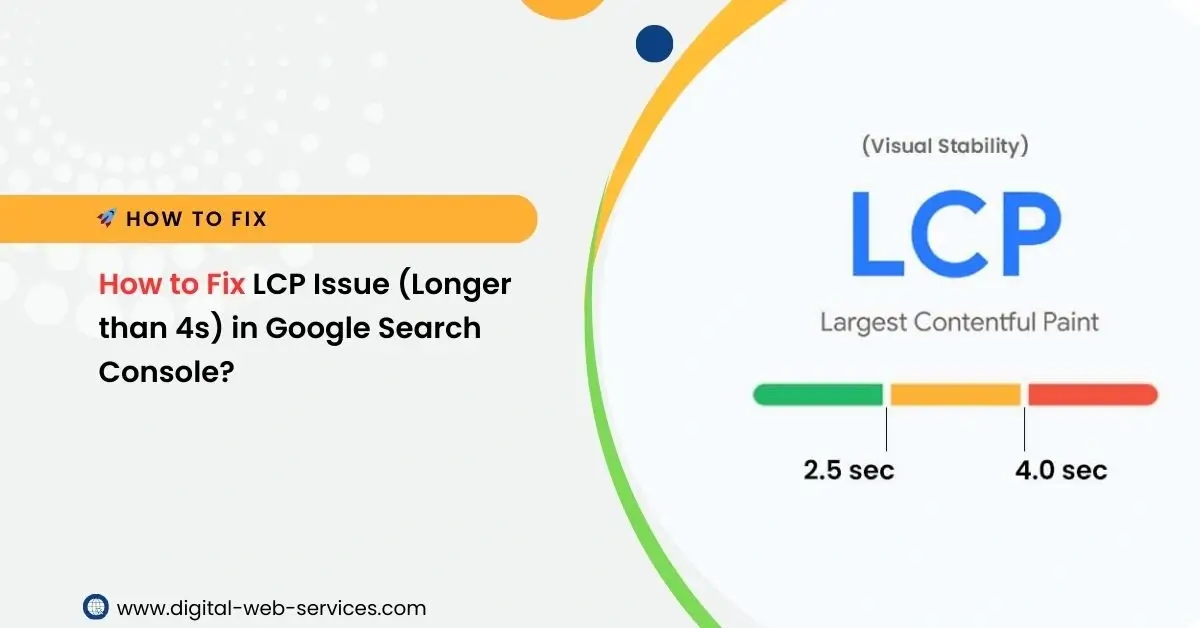
A good LCP score is anything under 2.5 seconds. A score between 2.5 to 4 seconds is considered acceptable, but anything above 4 seconds is a problem and needs to be addressed.
2. How can I check my LCP score?
You can check your LCP score in Google Search Console under the Core Web Vitals report or use tools like PageSpeed Insights or Lighthouse.
3. Does LCP affect SEO?
Yes, LCP is a ranking factor for Google, and poor performance (i.e., LCP over 4 seconds) can negatively impact your search rankings.
4. How long does it take to fix the LCP issue?
The time to fix the LCP issue depends on your website’s complexity and the underlying causes. On average, optimizing LCP could take anywhere from a few hours to a few weeks.
5. Can I fix LCP without changing my hosting provider?
Yes, improving image optimization, reducing third-party scripts, and minimizing render-blocking resources can significantly improve LCP without needing to change your hosting provider.
Conclusion
Fixing the LCP issue (longer than 4 seconds) is essential for improving your website’s user experience and maintaining strong SEO performance. By optimizing images, improving server response times, eliminating render-blocking resources, and addressing third-party scripts, you can ensure your site loads quickly, providing a better experience for visitors and boosting your search rankings. Regularly monitor your site’s Core Web Vitals and make adjustments as needed to maintain optimal performance.

Maria Jain is a Senior Content Strategist and Tech Editor at Digital Web Services, with over 6+ years of experience covering digital marketing, website development, and search engine optimization. She specializes in WordPress site architecture, AI technologies, Web Hosting, topical authority models, and hands-on SaaS & affiliate tool reviews. Maria combines data-driven SEO practices with deep web design and technical insights to publish transparent guides, tool comparisons, and strategic tutorials for digital growth.