Quick Insights
- WhatsApp username is a new privacy feature that allows users to connect without always sharing their phone number.
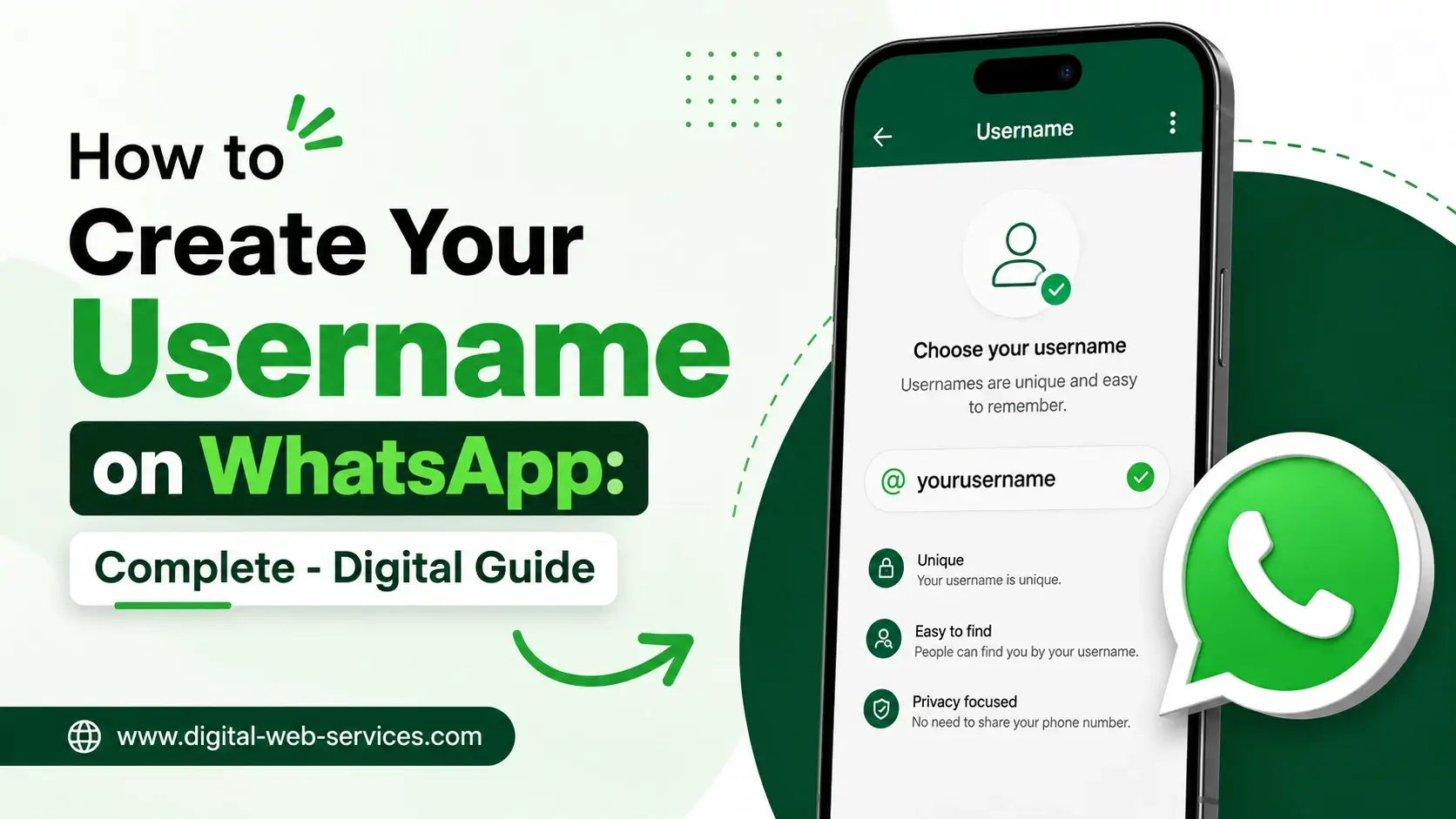
- To create your WhatsApp username, go to WhatsApp Settings, open your profile, tap Username, enter a unique username, and save it.
- If the WhatsApp username option is not showing, update the app and wait because the feature is rolling out gradually.
WhatsApp is one of the most used messaging apps in the world, and its biggest identity system has always been the phone number. Until now, if you wanted to chat with someone on WhatsApp, you usually had to share your mobile number or save their number first. But with the new WhatsApp username feature, this is changing.
The WhatsApp username update is designed to give users more privacy and control. Instead of sharing your personal phone number with everyone, you will be able to share a unique username. This can be useful when talking to new people, joining communities, contacting businesses, selling products online, networking, or managing professional conversations.
In this digital guide, you will learn how to create your username on WhatsApp, what the username rules are, why the feature may not appear on your phone, how to choose a safe username, and how this feature can improve your privacy.
What Is a WhatsApp Username?
A WhatsApp username is a unique name linked to your WhatsApp account. It works like a handle that other people can use to find or contact you without needing your phone number first.
For example, instead of sharing your mobile number, you may be able to share a username like:
- rahul_designs
- citycakesupport
- travelwithamit
- studygroup_2026
Your phone number will still remain connected to your WhatsApp account for login, verification, and account recovery. However, the main benefit of the WhatsApp username feature is that people may be able to start a chat with you using your username instead of directly asking for your number.
This makes the feature helpful for privacy, business communication, online communities, creators, students, freelancers, and anyone who does not want to share their phone number with unknown people.
Why WhatsApp Is Adding the Username Feature
The main reason WhatsApp is adding usernames is privacy. Many users do not feel comfortable sharing their personal phone number with strangers, customers, sellers, delivery contacts, community members, or people they meet online.
The WhatsApp username feature helps solve this problem by giving users another way to connect.
Here are the key benefits:
1. Better Phone Number Privacy
You can communicate with people without immediately exposing your phone number. This is useful when you are dealing with someone you do not know personally.
2. Easier Professional Communication
Small business owners, service providers, creators, freelancers, and consultants can share a WhatsApp username instead of putting their personal number everywhere.
3. Safer Community Interaction
If you are part of a WhatsApp group, online event, college group, local community, or public discussion, a username can reduce the need to exchange phone numbers.
4. Better Personal Branding
A clear WhatsApp username can make your profile easier to remember. For example, a designer can use a username related to their brand or service.
5. More Control Over How People Find You
With a username, you can decide what identity you want to share. This gives more control compared to sharing a phone number directly.
Is the WhatsApp Username Feature Available for Everyone?
The WhatsApp username feature is being rolled out gradually. This means some Android and iPhone users may see the option before others.
If you do not see the Username option in your WhatsApp profile settings, it does not always mean there is a problem with your phone. It may simply mean the feature has not reached your account yet.
You should:
- Update WhatsApp from the Google Play Store or Apple App Store.
- Check your WhatsApp profile settings.
- Wait for the official rollout to reach your account.
- Avoid downloading unofficial WhatsApp apps.
New WhatsApp features often appear in phases. Some users get them early, while others receive them later.
How to Create Your Username on WhatsApp
Follow these simple steps to create your WhatsApp username when the feature becomes available on your account.
How to Create WhatsApp Username on Android
- Open WhatsApp on your Android phone.
- Tap the three-dot menu in the top-right corner.
- Select Settings.
- Tap your profile name or profile photo at the top.
- Look for the Username option.
- Tap Username.
- Enter your preferred WhatsApp username.
- Wait for WhatsApp to check username availability.
- If the username is available, tap Save or Done.
Your WhatsApp username will be added to your profile once it is saved successfully.
How to Create WhatsApp Username on iPhone
- Open WhatsApp on your iPhone.
- Tap Settings from the bottom menu.
- Tap your profile name or profile photo.
- Select the Username option when it appears.
- Type your desired username.
- Check if the username is available.
- Tap Save or Done to confirm.
Once saved, your username can be used as your WhatsApp identity, depending on how the feature is available in your region and app version.
WhatsApp Username Rules You Should Know
Before you set up your WhatsApp username, you need to follow certain rules. WhatsApp usernames are expected to be unique and must follow a proper format.
Common WhatsApp username rules include:
- The username must be between 3 and 35 characters.
- It must include at least one letter.
- It can include letters, numbers, periods, and underscores.
- It should not contain spaces.
- It should not be made only of numbers or symbols.
- It should not start with “www.”
- It should not look like a website domain such as “name.com.”
- It must be unique and not already taken by another user.
Examples of valid usernames:
- amit_kumar
- digitalguide2026
- mybusiness.help
- priya_creates
- tech_support_india
Examples of usernames you should avoid:
- Any number like 231187444
- www.support
- myname.com
- user!!!
- full phone number
- full date of birth
WhatsApp may show an error if your username does not follow the rules or is already taken.
How to Choose a Good WhatsApp Username
Choosing the right WhatsApp username is important because it may become part of your digital identity. A good username should be easy to read, easy to remember, and safe to share.
Here is a simple workflow you can follow:
| Purpose | Best Username Style | Example |
|---|---|---|
| Personal use | Simple name-based username | rahul_sharma |
| Business use | Brand or service name | citycakes_support |
| Creator profile | Name plus niche | amit_travels |
| Student use | Clean and simple handle | neha_study |
| Support use | Brand plus help term | brightstore_help |
Tips to Choose a Safe Username
Choose a username that is simple but not too personal.
Avoid adding your:
- Full phone number
- Home address
- School name with personal details
- Bank-related words
- Password hints
- Date of birth
- Private ID numbers
For example, “rahul_designs” is safer than “rahul_2008_delhi_schoolname” because it shares less personal information.
A good WhatsApp username should be professional, short, memorable, and privacy-friendly.
WhatsApp Username vs Profile Name: What Is the Difference?
Many users may get confused between WhatsApp username and WhatsApp profile name. Both are different.
Your WhatsApp profile name is the name people may see on your profile. It does not have to be unique. Many people can have the same profile name.
Your WhatsApp username is expected to be unique. It works more like a handle that people can use to identify or contact you.
Example:
Profile name: Rahul
Username: rahul_digitalguide
The profile name is more personal, while the username is more like a searchable identity.
Can You Use WhatsApp Without a Phone Number After Creating a Username?
No, a WhatsApp username does not completely remove the need for a phone number.
Your phone number will still be required for:
- Account registration
- Login verification
- Account recovery
- Security checks
- Device linking
The WhatsApp username feature is mainly designed to reduce the need to share your number with others. It does not mean WhatsApp will become a phone-number-free app.
So, the correct answer is: you may be able to chat without sharing your phone number publicly, but your account will still remain linked to your mobile number.
What Is Username Key on WhatsApp?
Some reports suggest that WhatsApp may also offer a username key feature. A username key is expected to work like an extra safety layer.
If this option appears in your WhatsApp account, it may allow you to set a small key or code that someone needs before contacting you through your username.
This can help reduce unwanted messages from strangers.
For example:
Username: ram_designs
Username key: 1234
If someone wants to message you for the first time, they may need both your username and key, depending on how WhatsApp enables the feature.
If WhatsApp gives you this option, use it carefully. Do not post your username key publicly unless you want more people to contact you.
Why Is WhatsApp Username Not Showing?
If the WhatsApp username option is not showing on your phone, here are the most common reasons.
1. The Feature Has Not Reached Your Account Yet
WhatsApp often rolls out new features in stages. Some users may get the username feature early, while others may need to wait.
2. Your App Is Not Updated
You may be using an older version of WhatsApp. Go to the Play Store or App Store and update the app.
3. The Feature Is Available Only for Selected Users
Sometimes WhatsApp tests new features with selected Android and iOS users before launching them widely.
4. You Are Using an Unsupported App Version
Avoid using modified WhatsApp apps. Use only the official WhatsApp Messenger or WhatsApp Business app.
5. Regional Rollout May Take Time
Some features appear earlier in certain regions. If the option is missing, wait and check again later.
How to Fix WhatsApp Username Not Showing
Try these steps if you cannot see the username option:
- Update WhatsApp to the latest version.
- Restart your phone.
- Open WhatsApp Settings again.
- Tap your profile name or photo.
- Check if the Username option appears.
- Make sure you are using the official WhatsApp app.
- Wait for the feature rollout if it is still unavailable.
Do not trust websites or apps that claim they can “unlock WhatsApp username instantly.” Such tools may be unsafe and can put your account at risk.
What Happens After You Create a WhatsApp Username?
After you create your WhatsApp username, it becomes part of your profile identity. People may be able to use it to find or contact you, depending on how WhatsApp rolls out the feature.
You should also remember:
- Your username must be unique.
- Your phone number remains linked to your account.
- People who already have your number may still identify you through your number.
- If you change your username later, WhatsApp may show an update in some chats.
- Your username should follow WhatsApp’s safety and identity rules.
The biggest benefit is that you get more flexibility in how you connect with people.
Real-Life Examples of How WhatsApp Username Can Help
Example 1: Small Business Owner
A bakery owner can share “sweetcakes_help” instead of sharing a personal number on every poster, Instagram bio, or customer message.
This makes the business look more professional and protects the owner’s personal contact details.
Example 2: Freelancer
A graphic designer can use “rahul_designs” as a WhatsApp username. This is easier to remember than a phone number and can be used for client communication.
Example 3: Student Group
A student managing a class project can share a username with new group members instead of giving out their private number.
Example 4: Online Seller
A seller can share a username in product listings or community groups. This makes communication easier while reducing phone number exposure.
Example 5: Community Admin
A local community admin can use a username for new member requests. This helps separate public communication from personal contacts.
Privacy Tips Before Sharing Your WhatsApp Username
The WhatsApp username feature can improve privacy, but users should still be careful.
Follow these safety tips:
- Do not use your phone number as your username.
- Do not use your full date of birth.
- Do not share your username key publicly if you want limited contact.
- Do not reply to suspicious messages.
- Never share your WhatsApp verification code.
- Enable two-step verification in WhatsApp settings.
- Review your profile photo, last seen, about, and status privacy.
- Block and report unknown users who send spam or harmful messages.
A username can reduce phone number exposure, but smart privacy habits are still important.
Common Mistakes to Avoid While Creating WhatsApp Username
Many users may create a username quickly without thinking about privacy or long-term use. Avoid these mistakes:
- Do not use your mobile number as your username.
- Do not copy a famous brand or celebrity name.
- Do not use offensive or confusing words.
- Do not add too many periods or underscores.
- Do not make it too long or hard to remember.
- Do not use private personal details.
- Do not use a username that looks like a website link.
Your WhatsApp username should be clean, safe, and easy to share.
Best Format for a WhatsApp Username
A good WhatsApp username should follow this format:
Name + purpose
Brand + support
Nickname + niche
Business name + help
Creator name + category
Examples:
- arjunfitness
- neha_writes
- brightstore_help
- rahul_marketing
- cityrepair_support
Try to keep your username short and clear. A simple username is easier to remember and less likely to be typed incorrectly.
WhatsApp Username for Business Users
The WhatsApp username feature can be very useful for businesses. A business can use a username to make customer communication easier.
For example, a brand can use:
- brandname_support
- brandname_sales
- brandname_help
- brandname_india
This can help customers contact the business without saving a phone number first.
Businesses should choose usernames that match their brand name. This builds trust and avoids confusion. If your business name is already used on Instagram, Facebook, YouTube, or your website, try to keep your WhatsApp username similar.
This creates a consistent digital identity across platforms.
WhatsApp Username for Personal Users
For personal users, the best username is simple and privacy-friendly. You do not need to make it too fancy.
Good personal username examples:
- amit_k
- priya_notes
- rahul_reads
- neha_daily
- karan_music
Avoid usernames that reveal too much information. Your username should help people identify you, but it should not expose sensitive personal details.
Is WhatsApp Username Safe?
The WhatsApp username feature is designed to improve privacy because it reduces the need to share your phone number. However, safety also depends on how you use it.
It is safer when:
- You choose a clean username.
- You avoid sharing private details.
- You use privacy settings properly.
- You do not respond to unknown suspicious messages.
- You report spam or fake accounts.
- You enable two-step verification.
It is less safe when:
- You post your username everywhere.
- You use your phone number as your username.
- You share your username key publicly.
- You trust unknown people too quickly.
So, WhatsApp username can be safer than sharing your number, but you still need to use it carefully.
Final Thoughts
The WhatsApp username feature is one of the most useful privacy-focused updates for WhatsApp users. It gives people a new way to connect without always sharing their mobile number. Whether you are a student, professional, creator, business owner, freelancer, or regular user, a WhatsApp username can help you manage conversations more safely and professionally.
To create your username on WhatsApp, open Settings, go to your profile, tap Username, enter a valid and available username, and save it. If the option is not visible yet, update your app and wait for the gradual rollout.
Choose a username that is simple, unique, easy to remember, and safe to share. Avoid adding private details like your phone number, birth date, or personal address. With the right username and privacy settings, WhatsApp can become more secure and convenient for everyday communication.
Also Read: Step-by-step Guide to Lock Your WhatsApp Web in Desktop Version
FAQs About WhatsApp Username
1. How do I create my username on WhatsApp?
To create your username on WhatsApp, open WhatsApp, go to Settings, tap your profile name or photo, select Username, enter a unique username, check availability, and tap Save or Done. If the option is not visible, update WhatsApp and wait for the rollout.
2. What is the WhatsApp username feature?
The WhatsApp username feature allows users to create a unique handle linked to their account. It helps people connect without always sharing phone numbers. Your phone number still remains connected to your account for login, verification, and recovery.
3. Why is the WhatsApp username option not showing?
The WhatsApp username option may not be showing because the feature is rolling out gradually. You may also be using an older app version. Update WhatsApp from the Play Store or App Store and check your profile settings again.
4. Can I use WhatsApp without a phone number after creating a username?
No. You still need a phone number to create, verify, and recover your WhatsApp account. A username helps you connect with others without sharing your number directly, but it does not remove the phone number requirement completely.
5. What are the WhatsApp username rules?
A WhatsApp username usually must be 3 to 35 characters long, include at least one letter, and contain only letters, numbers, periods, or underscores. It must be unique and should not look like a website domain or start with “www.”
6. Can two people have the same WhatsApp username?
No. WhatsApp usernames are expected to be unique. If someone already has the username you want, you will need to choose another version by adding a word, number, underscore, or short brand term.
7. Can I change my WhatsApp username later?
When the option is available, you should be able to change your username from the same profile settings section. However, choose carefully because changing usernames too often may confuse people who use your username to contact you.
8. Will people see my phone number if I use a WhatsApp username?
The main purpose of WhatsApp username is to reduce the need to share your phone number. People who contact you through your username may not need your number first. However, your phone number remains linked to your WhatsApp account.
9. Is WhatsApp username available on Android and iPhone?
Yes, the WhatsApp username feature is expected for both Android and iPhone users. However, availability may depend on your app version, account eligibility, region, and rollout stage.
10. What should I do if my WhatsApp username is not available?
If your preferred WhatsApp username is not available, try a simple variation. You can add your niche, brand name, city, initials, or underscore. For example, if “rahuldesigns” is taken, try “rahul_designs” or “rahuldesigns_india.”
11. What is a username key on WhatsApp?
A username key is expected to be an optional security feature that may help control who can message you through your username. If WhatsApp shows this option, use it carefully and avoid sharing the key publicly unless you want more open contact.
12. Is WhatsApp username good for businesses?
Yes. A WhatsApp username can help businesses look more professional and protect phone number privacy. Businesses can use brand-based usernames such as brandname_support, brandname_help, or brandname_sales to make customer communication easier.

Maria Jain is a Senior Content Strategist and Tech Editor at Digital Web Services, with over 6+ years of experience covering digital marketing, website development, and search engine optimization. She specializes in WordPress site architecture, AI technologies, Web Hosting, topical authority models, and hands-on SaaS & affiliate tool reviews. Maria combines data-driven SEO practices with deep web design and technical insights to publish transparent guides, tool comparisons, and strategic tutorials for digital growth.