Internal Linking & Anchor Text Basics: Best Practices & Why to Avoid “Read More” or “Click Here.”
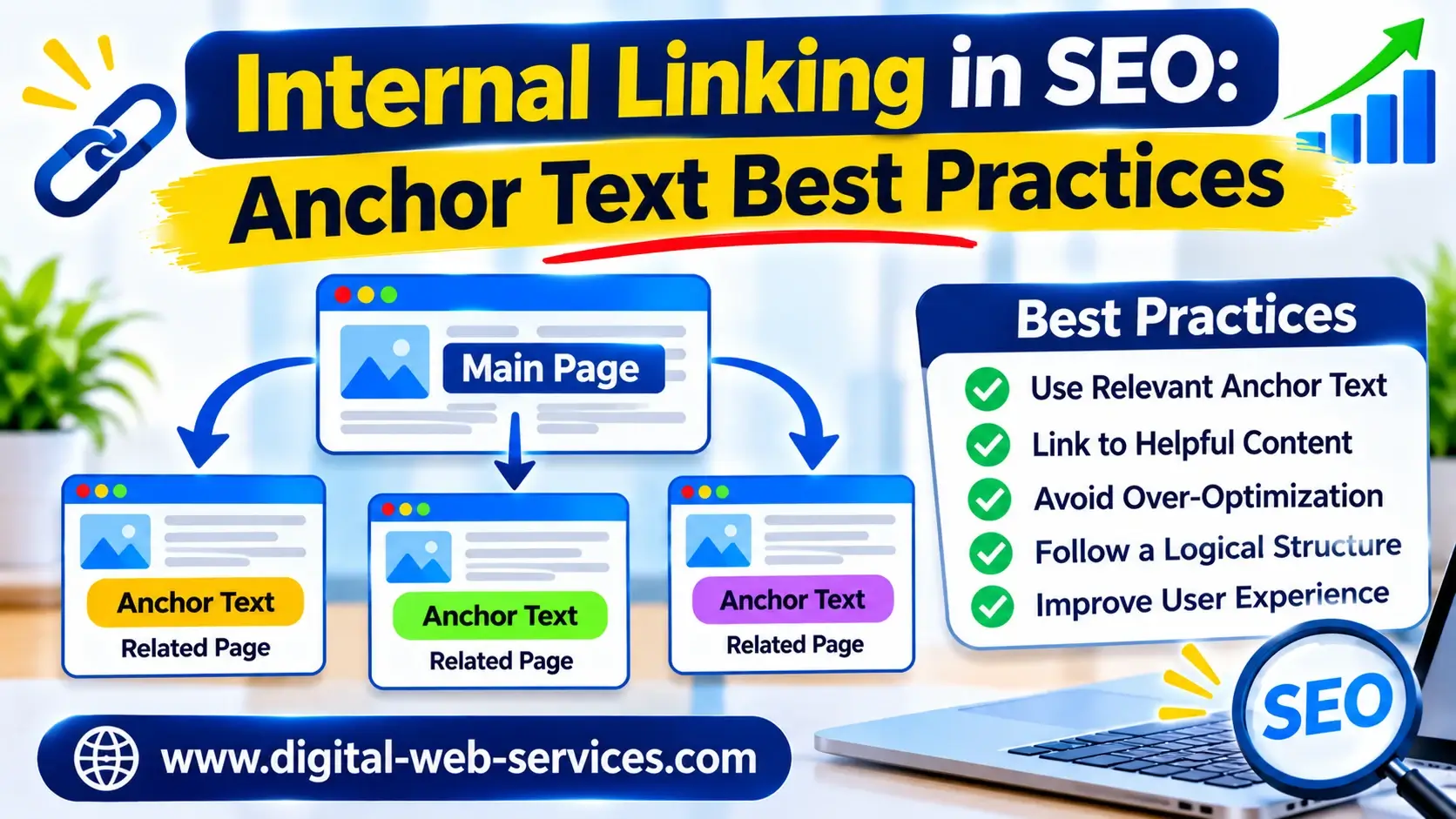
Internal linking is an very important for on-page SEO now many website owners try this this internal linking practices to increase blog and web pages authority . But always Make sure that adding relevant links between pages helps Google discover content, distributes page authority across your website, and makes it easier for your visitors to find useful information while click on your internal link.
As an SEO expert, one common mistake I often notice on websites is the use of generic anchor text such as “Read More” or “Click Here.” Although these phrases are widely used, they don’t clearly tell readers what to expect after clicking the link. Instead, writers should use descriptive anchor text that gives readers a clear idea of what the linked page is about.
In this article, we’ll look at how internal linking works, the different types of anchor text, and how small changes to your links can improve your website’s SEO and user experience.
What Is Internal Linking and Why Is It Important?
An internal link is a hyperlink that connects one page of your website to another page on the same website.
For example, if you have written a blog about on-page SEO and another article about keyword research, you can connect these two articles using an internal link wherever the topic is relevant.
Internal linking helps your website in three main ways:
- Content discovery and crawling: Google follows links to discover new pages on your website. A page without any incoming internal links is known as an orphan page. Such pages can be harder for search engines to discover.
- Distribution of page authority: Internal links help distribute PageRank from one page to another. Linking from well-established pages to other relevant pages can support their search visibility.
- Understanding page relevance: The words you use in an internal link help Google understand what the linked page is about.
Internal linking also benefits your readers. Instead of searching your entire website for related information, they can access it directly while reading an article.
What Is Anchor Text? Types and Examples
Anchor text is the clickable part of a hyperlink. You can usually identify it by its different text colour or underline.
For example, if you write “Follow our technical SEO checklist to identify common website issues,” the words “technical SEO checklist” are the anchor text.
Here are some common types of anchor text used in SEO:
| Anchor Text Type | Example | SEO Benefit |
|---|---|---|
| Descriptive or Partial Match | Complete technical SEO checklist | Explains what the linked page covers. |
| Exact Match | Keyword research | Directly describes the target keyword or topic. |
| Branded | Digital Web Services | Identifies a particular brand or website. |
| Naked URL | https://example.com/seo-guide | Useful when sharing a direct website address. |
| Generic | Read More, Click Here, Learn More | Offers limited information about the linked page. |
Descriptive anchor text is generally a good choice because it helps both readers and search engines understand where the link leads.
However, you don’t need to include a target keyword in every internal link. The wording should make sense within the sentence.
Why Should You Avoid Generic Anchor Text Like “Read More”?
You’ve probably noticed “Read More” buttons on blog listing pages, related article sections, and service pages. While there is nothing inherently wrong with these buttons, relying on generic anchor text throughout your website can create several problems.
Search engines get less information
Google uses anchor text as one of the signals to understand the content of a linked page.
For example, if you link to an article about schema markup using “Click Here,” the anchor text itself provides little information about the article.
Using “Schema Markup Guide” gives a clearer indication of what the linked page covers.
It can affect website accessibility
People who use screen readers may navigate a website by moving directly between links.
Imagine hearing “Read More” five or six times without knowing which article each link refers to. Descriptive links make navigation easier for these users.
You miss an opportunity to improve internal linking
SEO audit tools may report generic links as non-descriptive anchor text.
Although this does not automatically mean your website will lose rankings, replacing these links with meaningful text can help Google better understand the relationship between your pages.
Examples of Bad and Good Anchor Text
Bad: To improve your website speed, click here.
Good: Follow our Core Web Vitals optimization guide to improve your website speed.
Bad: Having trouble with Google indexing? Read more.
Good: Find out how to fix Google Search Console indexing errors.
Bad: To understand keyword selection, click here.
Good: Read our keyword research guide for beginners.
The difference is simple. Readers should have a fair idea of what they will find before clicking a link.
Internal Linking Best Practices
You don’t need a complicated strategy to improve internal linking. Start with these practices and apply them whenever you publish or update content.
Write natural and descriptive anchor text
Choose words that explain what the linked page is about. Keep the anchor text reasonably short, but don’t force yourself to follow a specific word count.
Read the sentence aloud. If the link sounds out of place, change the wording.
Link to relevant internal pages
Many websites frequently link to their homepage, contact page, or main service pages while ignoring other useful content.
Look for opportunities to link to older blog posts, detailed guides, product pages, and relevant services.
This also helps readers discover content they might otherwise miss.
Organize related content into topic clusters
If your website covers several articles on the same subject, connect them through internal links.
For example, you could publish a detailed SEO guide and support it with individual articles covering:
- Keyword research
- Technical SEO
- On-page SEO
- Anchor text optimization
- XML sitemaps
- Robots.txt files
Link these articles to your main SEO guide and to one another wherever relevant.
This creates a logical website structure and helps readers explore a subject without having to search for each article separately.
Avoid forcing keywords into links
There is no need to use the same exact keyword every time you link to a particular page.
For example, when linking to an article about keyword research, you could naturally use phrases such as:
- Keyword research guide
- Finding the right keywords
- How to research keywords
- Keyword research for beginners
Use whichever phrase fits the surrounding content.
Find and fix orphan pages
Check your website regularly for pages that have no incoming internal links.
If a page contains useful information, find related articles or service pages where you can add a link to it.
Every important page should be accessible through at least one relevant, crawlable internal link.
How to Fix Non-Descriptive Anchor Text on Existing Blog Posts
If your website already has hundreds of articles with “Read More” or “Click Here” links, you don’t have to update everything manually at once.
Here’s where you can start.
Step 1: Run a website audit
Use SEO tools such as Semrush, Ahrefs, or Screaming Frog to review your internal links.
Look for generic anchor text, broken internal links, orphan pages, and other internal linking issues.
Step 2: Update your blog template
If your blog listing or related posts section automatically displays “Read More” buttons, check whether your website template allows you to change them.
You can make the blog title itself a clickable link or use a more descriptive link label.
Making this change at the template level can save you from editing hundreds of pages individually.
Step 3: Update your important pages first
Start with pages that receive regular organic traffic, generate enquiries, or cover important topics for your business.
Review their internal links and replace generic anchor text wherever a more descriptive phrase makes sense.
Step 4: Add internal links when publishing new content
Whenever you publish a new article, check whether any of your existing articles cover related topics.
Add relevant links to the new article from older pages and link back to useful existing content from the new article.
Making this part of your publishing process can prevent internal linking issues from building up over time.
Frequently Asked Questions
Q: Does internal linking help Google index pages faster?
Internal links can help Google discover new pages by connecting them to existing content. However, adding internal links does not guarantee faster indexing. Google still decides when to crawl and index a page.
Q: How many internal links should a blog post have?
There is no fixed number of internal links recommended by Google. The number depends on the length of your article, the topic, and the amount of relevant content available on your website.
Add a link when it gives the reader something useful to explore.
Q: Is “Read More” bad for SEO?
Using “Read More” is not a direct SEO penalty. However, it provides less context than descriptive anchor text.
Where possible, make the article title clickable or replace generic links with wording that describes the destination page.
Q: Can I use the same anchor text multiple times?
Yes. Using the same anchor text more than once is not automatically a problem, especially when it accurately describes the linked page.
The priority should be relevance and readability rather than deliberately changing every anchor text.
Q: What is the difference between internal and external linking?
Internal links connect pages within your own website, while external links point to pages on other websites.
Both have different purposes and can help readers find additional information.
Final Thoughts
Good internal linking starts with understanding what your readers might want to know next.
Instead of adding links just to meet an SEO requirement, connect pages that genuinely relate to each other. Use anchor text that explains where each link leads, update older articles when you publish new content, and regularly check for pages that are difficult to discover.
Digital Web Services (DWS) is a leading IT company specializing in Software Development, Web Application Development, Website Designing, and Digital Marketing. Here are providing all kinds of services and solutions for the digital transformation of any business and website.