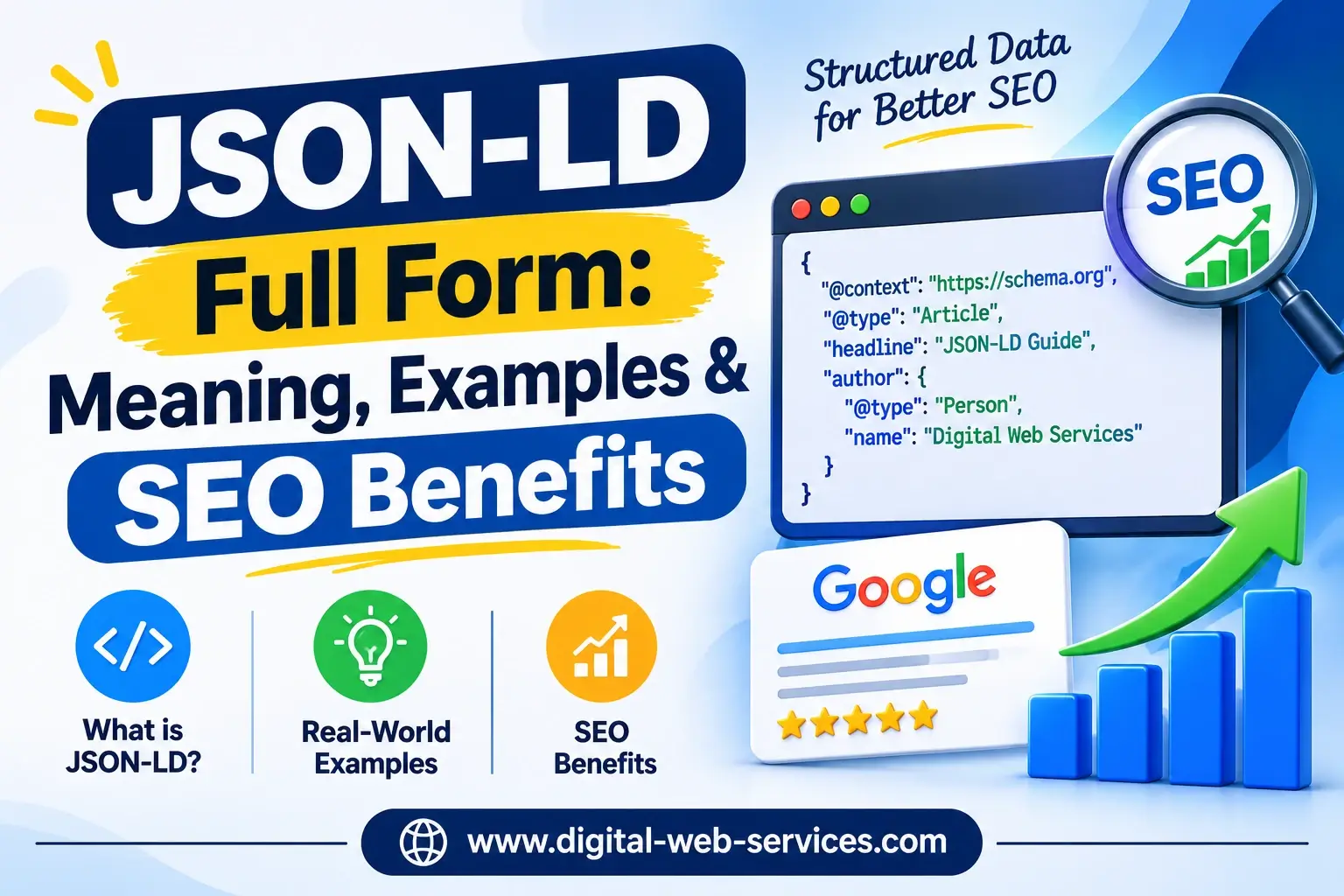
JSON-LD stands for JavaScript Object Notation for Linked Data. It is a lightweight, machine-readable format used to organize and describe website information so search engines can better understand webpage content.
In technical SEO, JSON-LD plays an important role in implementing structured data and schema markup. It helps search engines such as Google and Bing identify important details about a webpage, including articles, products, businesses, prices, reviews, and other entities.
JSON-LD also provides structured context that may help AI-powered systems interpret website information, including platforms such as ChatGPT, Gemini, and Google AI Search. However, it does not guarantee inclusion in AI-generated answers.
Whether you manage a blog, an e-commerce store, or a business website, understanding the JSON-LD full form in SEO can help you implement more accurate structured data and improve your website’s eligibility for enhanced search appearances.
What is JSON-LD Full Form and Meaning?
The JSON-LD full form is JavaScript Object Notation for Linked Data. It combines two concepts: JSON, a popular data format, and Linked Data, a method for describing information and its relationships.
Let’s understand both terms separately.
1. JSON (JavaScript Object Notation)
JSON is a lightweight format used to store and exchange structured information. It represents data using key-value pairs, making it relatively easy for developers and machines to read.
For example:
{
  "name": "Digital Web Services",
  "service": "SEO Services",
  "location": "India"
}
Here, the labels name, service, and location identify what each value represents.
2. LD (Linked Data)
Linked Data adds meaning and relationships to information using standardized identifiers and vocabularies.
For example, a webpage may display the number “999”. Without additional context, a search engine must interpret what that number represents.
It could be:
- A product price
- A customer support number
- A product identification number
- A review count
JSON-LD provides explicit context so machines can distinguish between these possibilities.
How Does JSON-LD Work?
JSON-LD uses structured properties, often defined by Schema.org, to describe the entities and information on a webpage.
For example, a product page can contain JSON-LD markup identifying:
- Product name
- Product description
- Price and currency
- Availability
- Brand
- Customer reviews
Standard HTML presents content to visitors, while JSON-LD supplements that content with machine-readable meaning.
A JSON-LD implementation generally includes three important elements:
@context: Identifies the vocabulary used, commonlyhttps://schema.org.@type: Specifies the entity type, such asArticle,Product, orOrganization.- Properties: Describe the entity using fields such as
name,url,author, andoffers.
This allows search engines to interpret information more consistently without changing the webpage’s visible layout.
Why is JSON-LD Important for SEO & AI Search?
JSON-LD schema markup helps search engines understand website content and can make eligible pages appear with enhanced information in search results.
Here are its major benefits.
1. Supports Rich Snippets and Rich Results
One of the biggest advantages of JSON-LD is its role in helping webpages qualify for rich results.
Depending on the content type and Google’s eligibility requirements, structured data can support search enhancements such as:
- Star Ratings: Review ratings for eligible products and other supported entities.
- Product Information: Prices, availability, and relevant product details.
- Recipe Cards: Ingredients, cooking time, and recipe information.
- Article Information: Author, publication date, and other relevant article details.
- Breadcrumbs: A clearer representation of website navigation.
These enhancements can make search listings more informative and potentially improve click-through rates (CTR).
However, implementing structured data does not guarantee that Google will display a rich result.
Important: Google retired FAQ rich results in May 2026, so adding FAQPage markup no longer produces that particular Google search feature.
2. JSON-LD is Google’s Recommended Structured Data Format
Google officially recommends JSON-LD when a website’s technical setup supports it.
Unlike some other structured data formats, JSON-LD does not require modifying individual visible HTML elements.
Instead, it can be placed inside a separate script block.
This makes it:
- Easier to implement and maintain
- Simpler to update when content changes
- Less dependent on the webpage’s HTML layout
- More convenient for template-based websites
For businesses managing hundreds or thousands of pages, JSON-LD provides a scalable approach to implementing structured data.
3. Helps Establish Context for AI Search and GEO
Search is evolving beyond traditional blue-link results.
AI-powered platforms such as Google AI Overviews, ChatGPT Search, Gemini, and Perplexity increasingly provide summarized answers and references to external sources.
JSON-LD can support AI search visibility and broader Generative Engine Optimization (GEO) strategies by expressing information about entities, relationships, organizations, and products in a standardized format.
For instance, Organization schema can identify a company’s official name and website, while Product schema can describe product attributes.
However, structured data is not a guaranteed AI visibility technique. Google explicitly states that no special Schema.org markup is required to appear in AI Overviews or AI Mode.
High-quality content, crawlability, topical relevance, and accurate business information remain essential.
4. Easy Implementation and Maintenance
JSON-LD can be added to a webpage inside the HTML <head> or <body> section.
A basic implementation looks like this:
<script type="application/ld+json">
{
  "@context": "https://schema.org",
  "@type": "WebSite",
  "name": "Example Website",
  "url": "https://www.example.com/"
}
</script>
This code describes a website without affecting how its content appears to visitors.
It is particularly useful for developers, WordPress users, and technical SEO professionals who need to manage structured data efficiently.
JSON-LD vs. Microdata vs. RDFa (Comparison Table)
When implementing schema markup, website owners generally encounter three major formats: JSON-LD, Microdata, and RDFa.
All three can describe structured information, but they differ in implementation and maintenance.
| Feature | JSON-LD | Microdata | RDFa |
|---|---|---|---|
| Full form | JavaScript Object Notation for Linked Data | HTML Microdata | Resource Description Framework in Attributes |
| Placement | Separate script block | Inline HTML attributes | Inline HTML attributes |
| Implementation | Generally easy | Moderate complexity | Moderate to advanced complexity |
| HTML modification | Usually unnecessary | Required | Required |
| Maintenance | Easier to maintain separately | Tied to HTML structure | Tied to HTML structure |
| Google recommendation | Preferred format | Supported | Supported |
| Best suited for | Modern websites, blogs, e-commerce | HTML-integrated markup | Linked data applications |
Which Structured Data Format is Best for SEO?
For most websites, JSON-LD is the preferred choice because it separates structured information from visible HTML content.
Microdata and RDFa remain valid formats and can work effectively when implemented correctly.
However, JSON-LD is usually easier to manage at scale, particularly for WordPress websites, large e-commerce platforms, and content-heavy blogs.
Popular JSON-LD Schema Types with Examples
Understanding the JSON-LD full form becomes more useful when you see how schema markup works in real-world situations.
The following JSON-LD examples demonstrate common structured data types.
These examples use fictional information. Replace the sample URLs, names, dates, prices, and business details with accurate information before publishing.
Article / BlogPosting Schema
Article schema helps search engines understand editorial content such as blog posts, news articles, and educational guides.
It can describe the headline, author, publication date, and image associated with an article.
JSON-LD example:
<script type="application/ld+json">
{
  "@context": "https://schema.org",
  "@type": "BlogPosting",
  "headline": "JSON-LD Full Form and SEO Benefits",
  "description": "A guide to JSON-LD and structured data.",
  "image": "https://www.example.com/images/json-ld.jpg",
  "author": {
    "@type": "Person",
    "name": "Alex Sharma"
  },
  "publisher": {
    "@type": "Organization",
    "name": "Example Digital Agency"
  },
  "datePublished": "2026-11-17",
  "mainEntityOfPage": {
    "@type": "WebPage",
    "@id": "https://www.example.com/json-ld-guide/"
  }
}
</script>
Best for: Blogs, educational articles, publishing websites, and editorial content.
The schema helps clarify article information and authorship, although it does not independently guarantee higher rankings.
FAQPage Schema
FAQPage schema describes questions and answers published on a webpage.
It uses the FAQPage, Question, and Answer types to represent the content in a machine-readable format.
JSON-LD example:
<script type="application/ld+json">
{
  "@context": "https://schema.org",
  "@type": "FAQPage",
  "mainEntity": [
    {
      "@type": "Question",
      "name": "What is JSON-LD?",
      "acceptedAnswer": {
        "@type": "Answer",
        "text": "JSON-LD is a format for representing linked data using JSON."
      }
    },
    {
      "@type": "Question",
      "name": "Is JSON-LD useful for SEO?",
      "acceptedAnswer": {
        "@type": "Answer",
        "text": "Yes. JSON-LD helps search engines interpret structured information and can support eligible rich results."
      }
    }
  ]
}
</script>
Best for: Pages with genuine, publicly visible questions and answers.
Although FAQPage remains part of Schema.org, Google discontinued its FAQ rich result feature in 2026. Therefore, website owners should not add this markup expecting expandable FAQ listings in Google Search.
Organization / LocalBusiness Schema
Organization and LocalBusiness schema help describe a company’s identity, website, contact details, and physical location.
Organization schema is useful for establishing consistent brand information.
LocalBusiness schema is more specific and can describe businesses that operate from physical locations.
JSON-LD example:
<script type="application/ld+json">
{
  "@context": "https://schema.org",
  "@type": "LocalBusiness",
  "name": "Example Digital Agency",
  "url": "https://www.example.com/",
  "telephone": "+91-9876543210",
  "address": {
    "@type": "PostalAddress",
    "streetAddress": "123 Business Street",
    "addressLocality": "New Delhi",
    "addressRegion": "Delhi",
    "postalCode": "110001",
    "addressCountry": "IN"
  }
}
</script>
Best for: Local businesses, agencies, service providers, and companies with real physical locations.
Accurate structured data can support consistent business information, but it does not guarantee better Google Maps rankings or local pack placement.
Product & Review Schema
Product schema is especially important for e-commerce websites.
It helps search engines identify product information, including names, descriptions, offers, prices, and supported reviews.
JSON-LD example:
<script type="application/ld+json">
{
  "@context": "https://schema.org",
  "@type": "Product",
  "name": "Wireless Bluetooth Headphones",
  "image": "https://www.example.com/images/headphones.jpg",
  "description": "Wireless headphones with noise cancellation.",
  "sku": "HEADPHONE-101",
  "brand": {
    "@type": "Brand",
    "name": "Example Audio"
  },
  "offers": {
    "@type": "Offer",
    "url": "https://www.example.com/headphones/",
    "priceCurrency": "INR",
    "price": "2999",
    "availability": "https://schema.org/InStock"
  }
}
</script>
Best for: Online stores, individual product pages, and eligible affiliate product pages.
Product pages with valid structured data may qualify for search enhancements displaying prices, stock availability, and other relevant information.
Review markup can also be included when genuine review information is displayed on the page and meets Google’s policies.
SEO Tip: Never add fabricated ratings, misleading prices, or reviews that are not supported by actual webpage content. Google requires structured data to accurately represent the information users can see.
How to Add JSON-LD Schema to Your Website?
Adding JSON-LD schema markup is relatively straightforward. You can implement it through a content management system plugin or manually insert the code.
Method 1: Using WordPress SEO Plugins
If you want to know how to add JSON-LD in WordPress, SEO plugins are often the simplest solution.
Popular options include:
Yoast SEO
Yoast SEO automatically generates structured data for supported page types and connects related entities through its schema graph.
Steps:
- Install and activate the Yoast SEO plugin.
- Open the WordPress dashboard.
- Navigate to Yoast SEO → Settings → Advanced → Schema.
- Ensure the Schema Framework is enabled.
- Configure the appropriate organization, person, and page information.
- Publish your page and verify the generated JSON-LD.
Rank Math SEO
Rank Math also provides automatic and configurable schema functionality for supported content types.
Steps:
- Install and activate Rank Math SEO.
- Complete the plugin’s initial setup.
- Edit a post or page.
- Open the Rank Math Schema settings.
- Select a suitable schema type.
- Enter the required information and save the page.
Important: Avoid publishing duplicate or contradictory structured data through multiple SEO plugins or custom scripts.
Method 2: Manual Placement via Schema Generator
You can also implement JSON-LD manually without using a dedicated SEO plugin.
This approach gives developers greater control over schema properties.
Step 1: Choose a Schema Type
Visit Schema.org and identify the type that best matches your content, such as Article, Product, Organization, or LocalBusiness.
Step 2: Generate Your JSON-LD
Use a schema generator such as the Merkle Schema Markup Generator or an appropriate structured data creation tool.
Google’s Structured Data Markup Helper can also help identify supported properties, although you should confirm its output format and limitations.
Step 3: Customize the Information
Replace placeholder values with accurate information from your website.
Check:
- Website URL
- Business or product name
- Description
- Dates
- Images
- Contact details
- Prices and availability, where applicable
Step 4: Insert the Code into HTML
Paste the completed code inside a script element using:
<script type="application/ld+json">
You can place this block within the <head> or <body> section of your webpage.
For WordPress, use a suitable custom-code insertion method or your theme’s supported hooks rather than editing theme files directly whenever possible.
Step 5: Publish and Test
Once your code is live, validate it to confirm that the structured data is readable and represents the correct page content.
How to Test and Validate JSON-LD Code?
Even a small formatting mistake can prevent structured data from being processed correctly.
That is why JSON-LD validation is an important part of technical SEO.
Two free tools are particularly useful.
1. Google Rich Results Test
Tool: https://search.google.com/test/rich-results
Google’s Rich Results Test checks whether a webpage contains structured data eligible for supported Google rich result features.
How to use it:
- Open the Rich Results Test.
- Enter your webpage URL or paste your code.
- Start the test.
- Review detected structured data types.
- Fix reported errors and review relevant warnings.
This tool is particularly useful when validating product, recipe, breadcrumb, and other Google-supported structured data.
However, successful validation does not guarantee that a rich result will appear.
2. Schema.org Validator
Tool: https://validator.schema.org/
The Schema.org Validator checks whether structured data can be parsed and whether it uses Schema.org vocabulary.
Steps:
- Open the validator.
- Enter your webpage URL or paste your markup.
- Run the validation.
- Review the detected entities and properties.
- Correct syntax problems or incorrect schema relationships.
Unlike the Google Rich Results Test, this validator is not limited to Google’s rich result features.
Additional Tip: Monitor Structured Data in Google Search Console
After implementing JSON-LD, use Google Search Console to monitor relevant structured data reports and page indexing information.
You can also use the URL Inspection tool to check whether Google can access and render the webpage.
Regular monitoring is useful because schema errors can appear after website redesigns, plugin updates, or changes to product information.
Frequently Asked Questions (FAQs)
Q1. What is the full form of JSON-LD?
JSON-LD stands for JavaScript Object Notation for Linked Data. It is a lightweight format used to represent structured information and relationships between entities. In SEO, it is commonly used to implement Schema.org markup.
Q2. Is JSON-LD a direct Google ranking factor?
No. JSON-LD is not a direct Google ranking factor. However, valid schema markup can improve search engines’ understanding of a webpage and make eligible content qualify for rich results. Those enhanced appearances may improve visibility and click-through rates, but higher rankings are not guaranteed.
Q3. Where should JSON-LD be placed in HTML?
JSON-LD can be placed inside the <head> or <body> section of an HTML webpage. It should be enclosed within a <script type="application/ld+json"> element. The structured information must accurately reflect the page content.
Q4. Can I use multiple JSON-LD scripts on one page?
Yes. A webpage can contain multiple JSON-LD scripts describing different relevant entities. For example, a blog page can include Article schema along with FAQPage schema when both types accurately represent visible content. However, FAQPage markup no longer generates Google FAQ rich results.
Conclusion
Understanding the JSON-LD full form — JavaScript Object Notation for Linked Data — is an important starting point for implementing effective structured data SEO.
JSON-LD helps search engines interpret webpage information, supports eligible rich results, and makes schema implementation easier to manage.
From Article and Product schema to Organization and LocalBusiness markup, choosing the correct structured data type can improve how accurately search engines understand your content.
As search continues to evolve, accurate schema markup can also form part of a broader AI search optimization strategy, alongside high-quality content and strong technical SEO fundamentals.
Need help implementing advanced technical SEO and schema markup on your website? Contact Digital Web Services today for professional SEO solutions designed to strengthen your website’s search visibility and technical performance.
Digital Web Services (DWS) is a leading IT company specializing in Software Development, Web Application Development, Website Designing, and Digital Marketing. Here are providing all kinds of services and solutions for the digital transformation of any business and website.