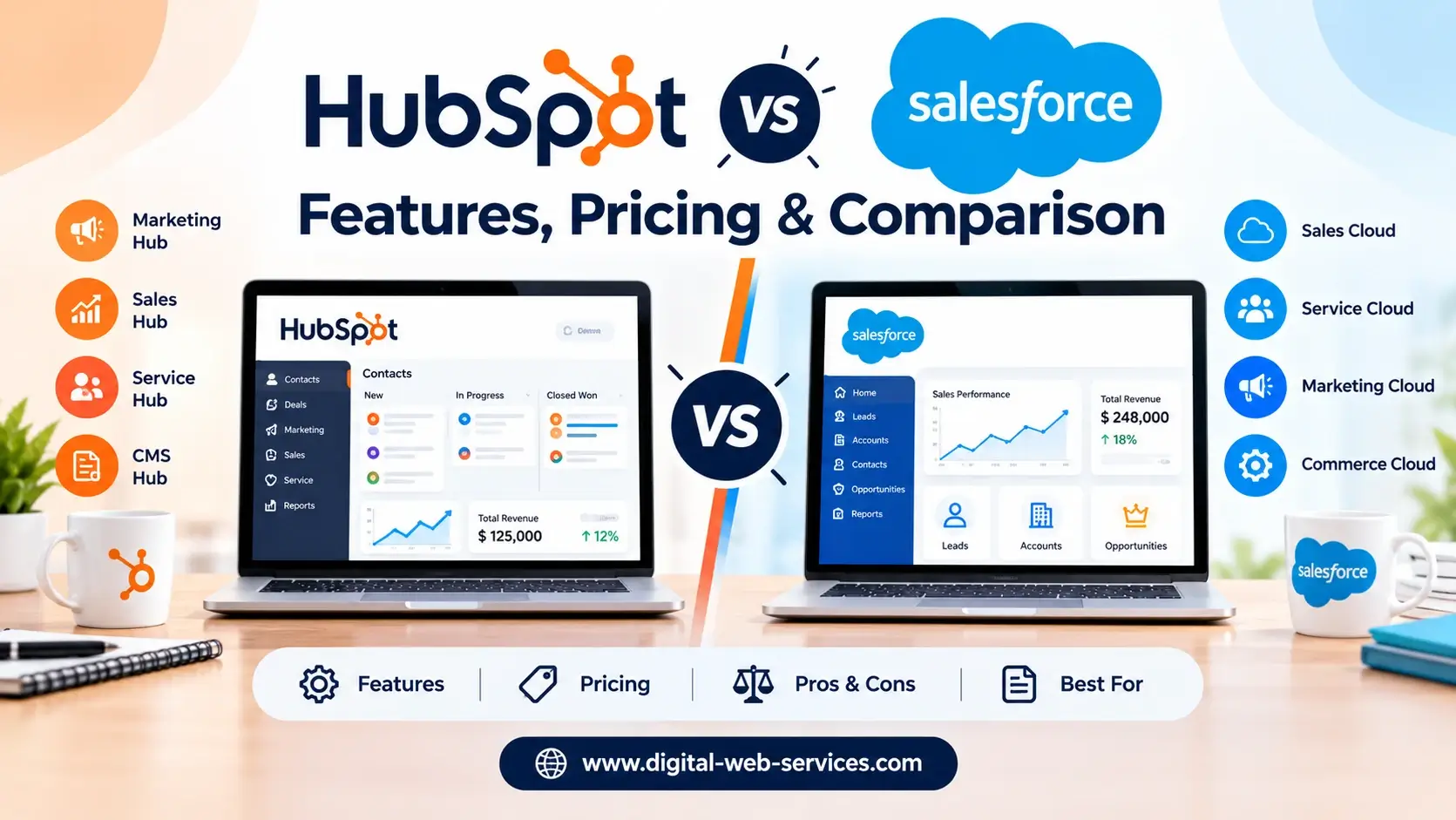
Choosing the right CRM can transform your sales pipeline, streamline lead management, and directly boost your bottom line. Two platforms consistently dominate the market: HubSpot and Salesforce.
While both offer world-class features, they cater to very different business structures, budgets, and operational needs.
This in-depth comparison breaks down their core features, pricing models, AI automation tools, and real-world performance to help you select the ideal CRM for your team.
Quick Insights:
- Choose HubSpot if: You are an SMB, startup, or agency looking for an all-in-one, user-friendly platform that seamlessly links sales with inbound marketing.
- Choose Salesforce if: You manage complex multi-tier sales operations that require deep custom data models, enterprise security, and intricate workflow automation.
- The Bottom Line: Don’t buy features you won’t use. Focus on ease of adoption, total implementation costs, and your core operational requirements.
What Is HubSpot CRM?
HubSpot is an intuitive, growth-focused customer platform designed to unify sales, marketing, and customer support into a single source of truth.
It offers a free core CRM alongside modular hubs like Sales Hub, Marketing Hub, and Service Hub.
It is the top choice for businesses wanting a plug-and-play solution without the burden of heavy technical management.
Key Features of HubSpot CRM
- Unified contact, company, and deal tracking.
- Visual drag-and-drop sales pipelines.
- Email tracking, meeting scheduling, and document sharing.
- Native inbound marketing automation and audience segmentation.
- Built-in AI assistance via HubSpot Breeze.
What Is Salesforce CRM?
Salesforce is the industry-standard cloud CRM built to manage enterprise-scale sales ecosystems, complex customer lifecycles, and deep data analytics.
Its core product, Sales Cloud, allows full customization across custom objects, multi-currency operations, and automated approval workflows.
It is purpose-built for organizations requiring absolute control over their sales architecture and team hierarchies.
Key Features of Salesforce CRM
- Advanced opportunity management and revenue forecasting.
- Unlimited custom objects, fields, and data relationship mapping.
- Complex workflow automation via Flow Builder.
- Enterprise security, role-based access, and territory management.
- Next-gen AI automation with Salesforce Einstein and Agentforce.
HubSpot vs. Salesforce: Feature Comparison
| Feature | HubSpot CRM | Salesforce CRM |
| Target Audience | Startups, SMBs, & Scaling Agencies | Midsize Companies & Enterprises |
| Ease of Use | High (Minimal training needed) | Moderate to Complex (Requires training) |
| Customization | Standard custom properties | Unlimited custom objects & architecture |
| Marketing Integration | Native and seamlessly connected | Requires Marketing Cloud / Add-ons |
| AI Capabilities | HubSpot Breeze AI | Einstein & Agentforce |
| Implementation | Fast (Days or weeks) | Extensive (Requires dedicated admin/partner) |
Detailed Comparison: 10 Core Areas
1. Ease of Use
A CRM only works if your team uses it daily.
HubSpot delivers a sleek, clean interface that reps love. Most teams can onboard themselves within days without hiring expensive consultants.
Salesforce offers immense power, but its backend complexity creates a steep learning curve. New users usually require structured onboarding and ongoing admin support.
Winner: HubSpot for everyday simplicity and rapid adoption.
2. Contact and Lead Management
Organizing customer records is foundational to both systems.
HubSpot logs interactions, emails, and page views automatically in an intuitive, single-timeline view.
Salesforce excels when handling complex corporate structures—such as parent-subsidiary accounts, matrixed decision-makers, and strict territory leads.
Winner: Salesforce for complex data hierarchies; HubSpot for clean daily lead tracking.
3. Sales Pipeline Management
Visualizing deals keeps sales teams focused on revenue.
HubSpot features clean, Kanban-style deal boards where reps can drag deals through stages and record call notes in real time.
Salesforce dominates multi-stage enterprise sales. It handles custom pricing rules, split-commission deals, and complex sales approvals effortlessly.
Winner: Salesforce for complex, multi-layered sales pipelines.
4. Marketing Automation
Connecting marketing efforts directly to closed deals gives you true ROI visibility.
HubSpot built its reputation on marketing. Creating landing pages, lead-nurturing emails, and ad tracking takes zero coding knowledge.
Salesforce relies on external integrations or advanced add-ons like Marketing Cloud to match HubSpot’s native ease.
Winner: HubSpot for native, connected marketing workflows.
5. Workflow Automation
Automating repetitive tasks saves reps hours every week.
HubSpot offers straightforward “If/Then” branching workflows that non-technical managers can set up in minutes.
Salesforce Flow Builder enables deep logical automation—triggering custom actions across multi-department databases and external APIs.
Winner: Salesforce for advanced custom logic and business automation.
6. Reporting and Analytics
Data-driven decisions depend on accurate pipeline reports.
HubSpot provides pre-built executive dashboards that track revenue trends, activity logs, and deal velocity out of the box.
Salesforce allows you to report on virtually any data point, creating deeply custom matrix reports across custom objects.
Winner: Salesforce for enterprise-grade custom reporting.
7. AI and Smart Automation
Artificial intelligence is changing how sales reps work.
HubSpot Breeze helps users draft outreach emails, summarize lengthy deal notes, and auto-enrich contact data inside the CRM.
Salesforce Einstein & Agentforce act as autonomous agents—predicting deal close probabilities and executing multi-step workflows.
Winner: Tie—HubSpot wins for practical user assistance; Salesforce wins for complex predictive AI.
8. Integrations and Ecosystem
Connecting your CRM to your existing software stack is non-negotiable.
HubSpot App Marketplace features over 2,000 one-click integrations tailored for modern digital tools.
Salesforce AppExchange is the largest enterprise app ecosystem in the world, offering deep software connectors for almost any legacy system.
Winner: Salesforce for enterprise customization; HubSpot for plug-and-play ease.
9. Customer Support and Service Tools
Post-sale support is critical for customer retention.
HubSpot Service Hub connects customer support tickets directly to the sales timeline, giving reps full visibility into client issues.
Salesforce Service Cloud is built for massive call centers, offering omni-channel routing, field service management, and complex SLAs.
Winner: Salesforce for large support centers; HubSpot for unified sales-service teams.
Pros and Cons
HubSpot
- Pros: Extremely easy to use, powerful native marketing, fast setup, excellent free tier.
- Cons: Custom reporting is limited on cheaper plans; seat costs scale quickly on Enterprise tiers.
Salesforce
- Pros: Unlimited customizability, unmatched automation power, robust enterprise security.
- Cons: Steep learning curve; high total cost of ownership; usually requires a dedicated admin.
Best CRM by Business Type
- Startups & Small Businesses: HubSpot (Free setup and rapid onboarding).
- Digital Agencies & Inbound Marketers: HubSpot (Seamless sales-marketing alignment).
- Mid-Market B2B Sales Teams: Either (Choose based on your pipeline complexity).
- Large Enterprises & Global Brands: Salesforce (Essential custom object control and security).
How to Choose the Right CRM
- Map Your Current Sales Process: List your absolute must-have features before looking at software demos.
- Calculate Full Ownership Costs: Factor in software licenses, implementation fees, and training hours.
- Audit Your Internal Tech Skills: Determine if your team can manage the platform without hiring outside help.
- Test Real Workflows: Run free trials to see how your team handles basic lead entries and deal updates.
Frequently Asked Questions (FAQs)
1. Which CRM is easier to learn?
HubSpot is significantly easier. Its user interface is intuitive, allowing sales reps to manage deals with almost no formal training.
2. Is HubSpot cheaper than Salesforce?
For small teams, yes. HubSpot offers a generous free tier and low-cost entry plans. However, for large teams needing advanced features, overall pricing becomes comparable.
3. Can small businesses use Salesforce?
Yes, Salesforce offers a Starter Suite for small businesses, but it still carries a steeper setup curve than HubSpot.
4. Does HubSpot require a dedicated administrator?
No. Most small to midsize businesses can manage HubSpot internally without specialized IT support.
5. Can I integrate HubSpot with Salesforce?
Yes! HubSpot offers a bi-directional native integration with Salesforce, allowing marketing teams to use HubSpot while sales teams use Salesforce.
Final Verdict: Which CRM Should You Buy?
Both platforms are market leaders for good reason.
Choose HubSpot if you prioritize rapid employee adoption, intuitive daily workflows, and a unified sales and marketing strategy.
Choose Salesforce if your organization requires enterprise-level customization, deep operational control, and complex sales process automation.
Evaluate your team’s current technical bandwidth, test both platforms with real sales scenarios, and choose the system that your reps will actually enjoy using every day!
Digital Web Services (DWS) is a leading IT company specializing in Software Development, Web Application Development, Website Designing, and Digital Marketing. Here are providing all kinds of services and solutions for the digital transformation of any business and website.