You search for your client’s main keyword from your desk and they sit in position three. Nice. Then the client calls from another city and says they can’t find themselves on page one at all.
Nobody is lying. You are both looking at a different version of the internet, because Google, ad platforms and most big online stores change what they show depending on where the visitor seems to be.
That small, annoying gap is the reason proxies exist in marketing. And if you have ever paid for a rank tracker, an ad verification service or a price monitoring tool, you have almost certainly been using proxies already without anyone mentioning it.
This guide skips the networking jargon. By the end you should know what a proxy is, what makes one “residential”, and whether you need to care.
A proxy is a middleman, and that’s all
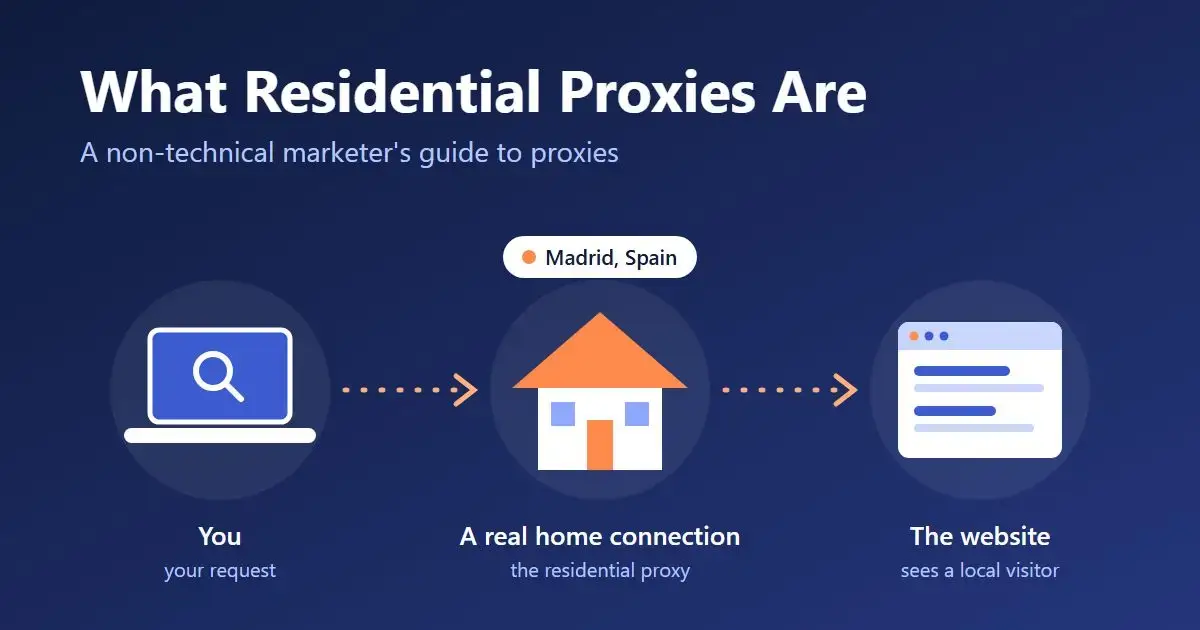
Picture a friend who lives in Madrid. You want to know what a Spanish shopper sees when they search for running shoes, so you phone your friend, they type the search in, and they read the results back to you.
A proxy does the same job, minus the phone call. Your request goes to another computer first, that computer visits the website for you, and it passes back whatever it got. The website never sees you. It sees the middleman, and it sees the middleman’s location.
Every device online has an IP address, which works a bit like a postal address for internet traffic. Websites read it to guess your country, your city and what kind of connection you are on. Using a proxy means borrowing someone else’s address for a moment.
So what makes a proxy “residential”?
Here is the part most explanations overcomplicate.
IP addresses come in different flavors depending on who owns them. Some belong to hosting and cloud companies, the giant server buildings that run websites and apps. Others belong to home internet providers, the companies that put a router in your hallway. Mobile carriers have their own as well.
Websites can tell these apart in a fraction of a second. A visit from a server building gets treated with suspicion, since ordinary shoppers don’t browse from server buildings. A visit from a home broadband line looks like a regular person on their sofa.
A residential proxy is simply a middleman whose address belongs to a real home internet connection. That’s the whole trick. If you’d like the longer version, with the mechanics and the different types laid out properly, ProxyEmpire has a clear explainer on what residential proxies are and how the networks behind them work.
The other two kinds you’ll hear about are datacenter proxies (server addresses, cheaper and faster, blocked more often) and mobile proxies (addresses from phone carriers, usually the priciest). For most marketing work, residential is the middle ground people settle on.
Where marketers run into proxies
You don’t have to be a developer to depend on them. These are the everyday jobs where they sit quietly in the background.
Local rank tracking. Search results shift by country and often by city. A tool that reports rankings “in Dallas” has to make its searches look like they come from Dallas, and a proxy is how it does that.
Ad verification. You bought placements in three countries. Are the ads showing, in the right language, next to content you’re comfortable with? The only reliable way to check is to load the page the way a local visitor would.
Price and competitor monitoring. Online stores frequently show different prices, stock and shipping offers by region. If you’re benchmarking a competitor from one office, you may be looking at a version of their site that most of their customers never get.
Checking your own localized pages. Before a launch, somebody needs to confirm that the German visitor lands on the German page with euro pricing, and that the redirect doesn’t send half of Europe to the US store. A proxy lets you check that from your own laptop.
Market research. Marketplace listings, app store charts and review pages all vary by location. Seeing them the way a local customer does makes the research more honest.
Rotating and sticky, the only two settings worth knowing
Once you start reading provider pages, two words show up everywhere.
Rotating means you get a different address for each request. That suits bulk jobs like checking a few thousand keywords, where each search stands on its own.
Sticky means you keep the same address for a while. You want that for anything with steps, such as logging in, adding items to a cart or clicking through several pages of results, because a site gets confused when the same visitor appears to change houses halfway through checkout.
Most providers let you switch between the two from the same plan.
What to ask before you pay for any
Proxy pricing pages can look like they were written for engineers. A handful of questions will get you most of the way.
Where do the addresses come from? This one matters more than anything else on the list. A residential network runs on real people’s home connections, so those people should have knowingly agreed to share them. Ask the provider how consent works. A vague answer tells you plenty.
Does it cover the places you sell in? Ignore the giant headline number for a second and check your own markets. If your clients are in Lyon and Leeds, country-level coverage alone won’t help much. You want to pick a city.
How is it billed? Residential proxies are usually sold by the gigabyte of traffic. Text-heavy pages use very little, while pages stuffed with images and video burn through data fast. Ask whether unused data expires at the end of the month.
Can you try it cheaply? As an example of what to look for, ProxyEmpire lists a pool of more than 30 million residential IPs, describes it as ethically sourced, and offers a $1.97 trial so you can test before committing to a plan. Whoever you go with, run a small test against the sites you care about first.
One warning: stay away from free proxy lists. Whoever runs a free proxy can see the traffic passing through it, and you have no idea who that is.
What residential proxies won’t do
It’s worth being straight about the limits, because some sellers aren’t.
They won’t make a badly behaved tool invisible. Websites look at plenty of other signals besides the address, including how fast requests arrive and whether the browser looks real. Hammering a site with a thousand requests a second will get you blocked from any address.
They’re slower than server-based proxies, since each request passes through an ordinary home connection.
And they don’t change the rules. Collecting public information, checking your own ads and testing your own site are normal uses. Anything that breaks a site’s terms or the law is still a problem, whatever address it comes from.
Do you need your own?
Honestly, a lot of marketers don’t. If your rank tracker and ad tools give you the local views you need, the vendor is handling proxies for you and the cost is already in your subscription.
It starts to make sense to buy your own when you outgrow those tools. Maybe you’re building custom reports with a scraper, your agency checks campaigns in dozens of cities every week, or your developer keeps saying requests are getting blocked. At that point a residential proxy plan is often cheaper than upgrading three separate tools, and it gives you control over which locations you can see from.
Either way, the next time a client asks why their ranking looks different on their phone, you’ll have a better answer than “Google is weird”.

Maria Jain is a Senior Content Strategist and Tech Editor at Digital Web Services, with over 6+ years of experience covering digital marketing, website development, and search engine optimization. She specializes in WordPress site architecture, AI technologies, Web Hosting, topical authority models, and hands-on SaaS & affiliate tool reviews. Maria combines data-driven SEO practices with deep web design and technical insights to publish transparent guides, tool comparisons, and strategic tutorials for digital growth.