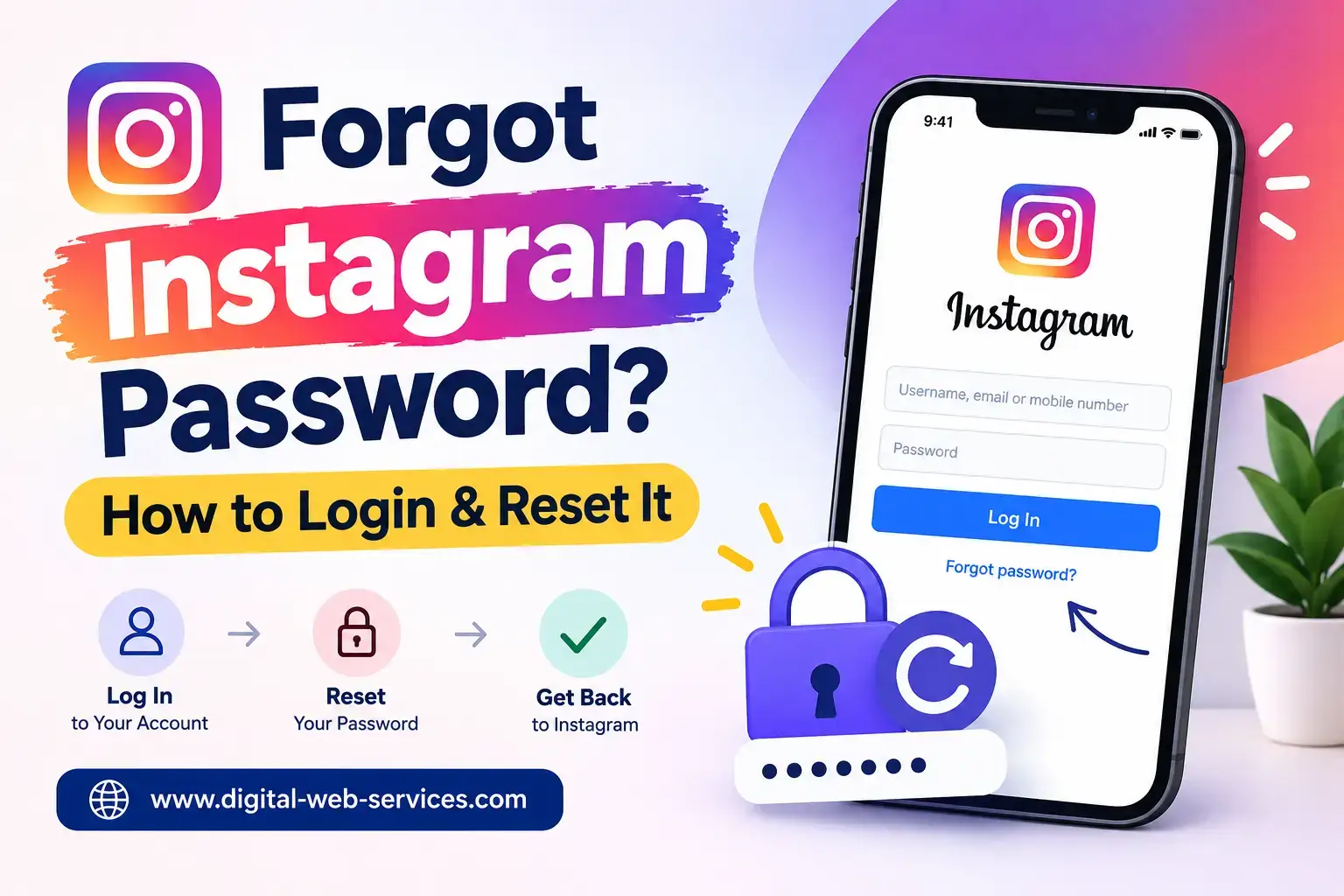
If you are Forgot your Instagram password and not able to login your insta account? One good thing is you usually do not need to remember old your Instagram password. If you still remember your username, registered email address, or phone number, you can try resetting your Instagram password and sign in again.
Quick Answer To recover your Instagram account:
- Open your Instagram.
- Click on Forgot password?
- Enter your username, email address, or phone number.
- Choose an available recovery option.
- Check your email or phone for the recovery message.
- Create a new password.
- Log in using the new password.
If your normal password reset does not working, the problem may be related to your email access, phone number, account security, or an old saved password.
Can You Log In to Instagram If You Forgot Your Password?
To forget your Instagram password means not you have lost your account. Instead of trying different passwords again and again, you must use Instagram’s password recovery option, where Instagram may allow you to identify your account with given details:
- Your Instagram username
- Your registered email address
- Your registered mobile number
Once Instagram finds the account, it will show the recovery options available to you.
One important thing: do not use random websites that claim they can show you your Instagram password. Password recovery should always be done through Instagram’s official app or website.
How Do You Reset an Instagram Password and Log In Again?
If you have registered email address or phone number then process is quite simple
Step 1: Go to the Instagram Login Page
Open the Instagram app on your phone.
If you are using a laptop or desktop computer, open Instagram in your browser and go to the login page.
Step 2: Tap “Forgot Password?”
Look for the Forgot password? option near the login area.
The wording or position may look slightly different depending on your device or app version, but the recovery option should still be available.
Step 3: Enter the Details You Remember
Instagram may ask for:
- Username
- Email address
- Phone number
You only need to enter information connected with the account you are trying to recover.
If you have more than one Instagram account, double-check the username before moving ahead. It is surprisingly easy to try resetting the password for the wrong account.
Step 4: Choose a Recovery Method
After finding your account, Instagram may give you one or more ways to verify that the account belongs to you.
Depending on your account, you may receive recovery instructions by email, text message, or another available method.
Step 5: Check Your Email or Phone
Open the message sent by Instagram and follow the instructions.
If you requested an email and cannot see it immediately, check:
- Spam
- Junk
- Promotions
- Other filtered folders
Searching your mailbox for Instagram can also make the message easier to find.
Step 6: Set a New Password
Create a password you have not used elsewhere.
Avoid making a tiny change to an old password such as:
Old password: Password123
New password: Password321
That may be easier to remember, but it is not a particularly strong security habit. Choose a password that is different from the passwords you use for email, banking, Facebook, or other important accounts.
Step 7: Log In Again
Return to Instagram and sign in using your username, email, or phone number along with the new password. If Instagram accepts the new password, your account access should be restored.
What If You Forgot Your Instagram Password and Email Address?
A helpful trick is to search your existing email accounts for old Instagram notifications. Even an old “new login” or “welcome” email can tell you which email address was connected to the account.
Quick Recovery Checklist
| What You Still Remember | What You Should Try |
| Username | Start the recovery process with the username |
| Email address | Request recovery through email |
| Phone number | Check available mobile recovery options |
| Username but no email access | Start with the username and review other options |
| Old email address | Check whether you can regain access to that email |
| Account details changed unexpectedly | Investigate whether the account may have been compromised |
What If You Forgot Your Instagram Password and No Longer Have the Phone Number?
Changing your mobile number does not automatically mean that your Instagram account is lost. You can try recovering it with:
-Your Instagram username
-Your registered email address
-Any other recovery method Instagram shows
One important tip: If you are still logged your Instagram profile in on another phone, tablet, or browser, you do not log out immediately. First you can check your account information and update the email address or phone number if Instagram allows. A device where you are already signed in can be extremely useful when trying to secure or recover your instagram account Password.
What If You Have No Access to Your Instagram Email or Phone Number?
At this stage, you are no longer dealing with a simple forgotten password.
You may need to go through Instagram’s broader account recovery process.
Start from the official login recovery screen and follow the help options available for your account.
Instagram may ask for additional information before allowing you back into the account.
The exact recovery options can vary depending on:
- Your account
- Your device
- Information previously connected to the account
- The reason you lost access
Avoid anyone who claims they can “bypass” Instagram security for money.
A genuine social media agency, SEO agency, freelancer, or technical professional should never need your Instagram password or private security code to recover your account through unofficial methods.
What If Someone Else Changed Your Instagram Password?
This is different from simply forgetting your password.
If you notice unusual changes, your account may have been compromised.
Warning signs can include:
- Your password suddenly stops working
- Your email address has been changed
- Your mobile number has changed
- Posts appear that you did not publish
- Messages were sent without you knowing
- Your username has changed
- You receive an unexpected security notification
If any of these happen, use Instagram’s official hacked-account or account recovery process.
Also check your email for security messages from Instagram. They may contain useful information about recent account changes.
Why Does an Instagram Password Reset Keep Failing?
There is no single reason.
A failed password reset can happen because of something as simple as an old email address or as serious as unauthorized access.
Common reasons include:
- Incorrect username
- Wrong email address
- Old mobile number
- Expired recovery link
- Browser autofilling an old password
- Password reset email going to spam
- Temporary Instagram app problems
- Security verification
- Someone changing your account information
Diagnose the Problem Before Requesting Another Reset
Use this quick workflow.
You forgot the password but still have access to the email
→ Reset the password through email.
You forgot the password but your phone number still works
→ Try the available mobile recovery option.
You cannot access the registered email
→ Try your username, phone number, or additional recovery options.
Someone changed the password without your permission
→ Treat the issue as a possible hacked account.
You created a new password but still cannot log in
→ Check the username, saved password, browser, app, and account status.
Sending yourself more password reset links will not help much if the real problem is somewhere else.
How Can You Avoid Forgetting Your Instagram Password Again?
Once you regain access, spend a few minutes securing the account properly.
Use a Password You Do Not Use Anywhere Else
Do not use the same password for Instagram and your main email account.
If one account becomes compromised, reused passwords can put other accounts at risk as well.
Use a Password Manager
A trusted password manager can save complicated passwords for you.
That means you do not have to create simple passwords just because they are easier to remember.
Keep Your Email Address Updated
Your registered email can become one of the most important recovery methods if you lose account access.
Update Your Mobile Number
If you change your SIM card or phone number, check whether Instagram still has your old number attached.
Turn On Two-Factor Authentication
Two-factor authentication adds another security step to your Instagram account.
Even if someone discovers your password, this additional verification can make unauthorized access more difficult.
Check Account Activity After Recovery
If you think someone may have accessed your account, review your security information after you regain access.
Look for anything unfamiliar.
Common Mistakes to Avoid During Instagram Account Recovery
People often make the situation worse because they panic and try too many things at once.
Avoid:
- Typing your password into unofficial Instagram recovery websites
- Sharing OTPs or security codes with another person
- Paying strangers who promise to hack the account back
- Reusing an old compromised password
- Ignoring unusual security emails
- Clicking suspicious “Instagram Support” links in direct messages
- Logging out of a device where your Instagram account is still accessible before updating your recovery information
When possible, stick to Instagram’s official app, website, and recovery tools.
|Also Read: How to See Already Scheduled Posts on Instagram
FAQs on How to Forgot Instagram password
Q. How can I log in to Instagram if I forgot my password?
Tap Forgot password? on the Instagram login screen. Enter your username, email address, or phone number and follow the recovery instructions. Once your account is verified via your email or phone number, create a new password and use it to log in again.
Q. Can I recover my Instagram account without knowing my old password?
Yes. If Instagram can verify your account through an available recovery method, you can reset the password without remembering the old password.
Q. Why am I not receiving my Instagram password reset email?
Check your spam and junk folders first within your email. Also make sure you entered the correct email address while receiving your Instagram password. If you are unsure which email is connected to Instagram, try recovering the account with your username or phone number.
Q. Can I recover Instagram without access to my email or phone number?
It may still be possible, but the process can be more difficult. Start with your Instagram username and follow any additional account verification options provided by Instagram.
Q. Why can’t I log in after changing my Instagram password?
Your browser or phone may still be entering an old saved password. Type the new password manually and confirm that you are using the correct username. Also try another browser or device if necessary.
Q. What should I do if someone changed my Instagram password?
Use Instagram’s official hacked-account or recovery process. Check your email for security notifications and secure your email account as well if you believe someone accessed it.
Q. Can Instagram show me the password I forgot?
Instagram’s account recovery process is designed to help you reset your password rather than display your existing password.
Q. Are third-party Instagram password recovery websites safe?
Avoid websites or people asking for your Instagram password, OTP, or security codes. Recover your account through Instagram’s official channels.
Q. Should I enable two-factor authentication after recovering my account?
Yes. Two-factor authentication adds another verification layer and can make your Instagram account safe from someone else to access.

Maria Jain is a Senior Content Strategist and Tech Editor at Digital Web Services, with over 6+ years of experience covering digital marketing, website development, and search engine optimization. She specializes in WordPress site architecture, AI technologies, Web Hosting, topical authority models, and hands-on SaaS & affiliate tool reviews. Maria combines data-driven SEO practices with deep web design and technical insights to publish transparent guides, tool comparisons, and strategic tutorials for digital growth.