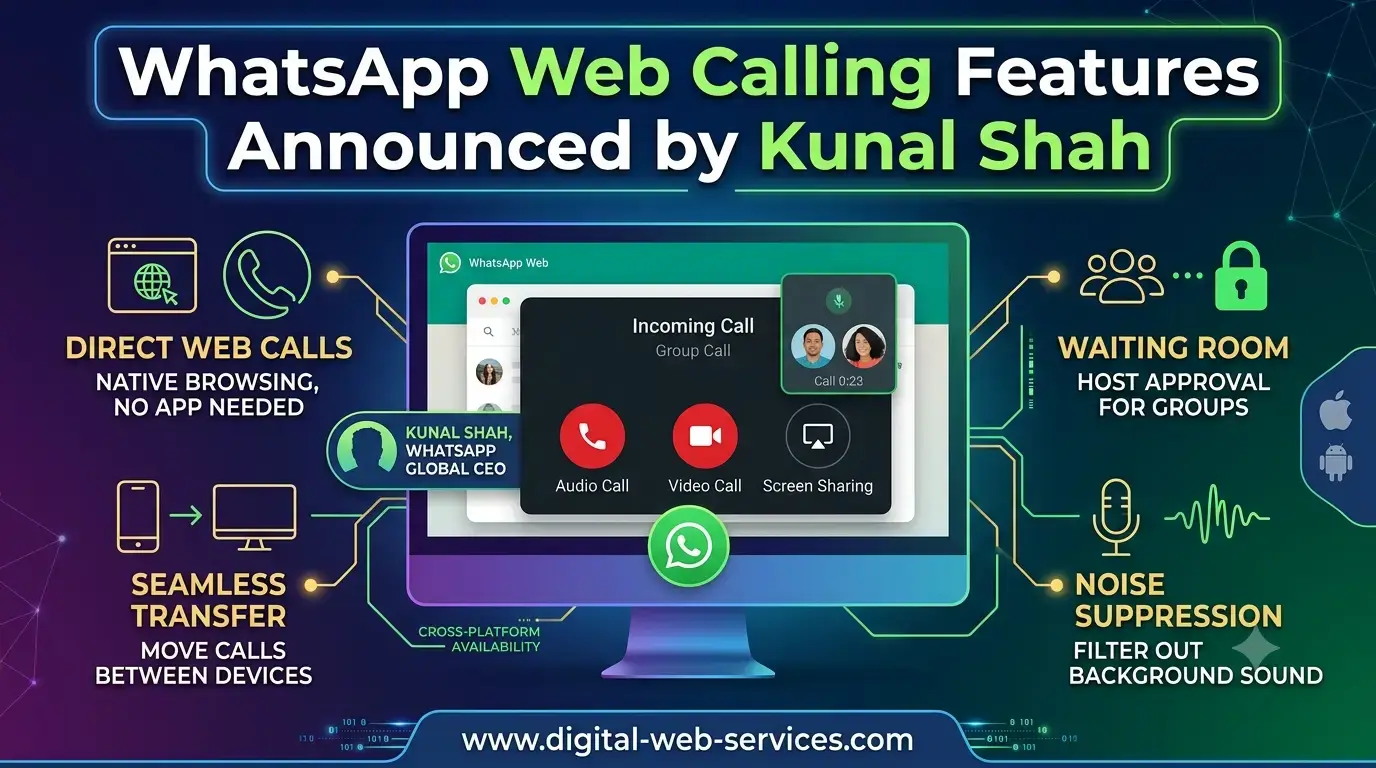
WhatsApp users can now make and receive voice and video calls directly through a web browser as part of a major expansion of the platform’s calling capabilities.
The Meta-owned messaging service announced the new WhatsApp Web calling features on 28 July 2026. The rollout was also highlighted by Kunal Shah, who recently took charge as the global head of WhatsApp after stepping away from his operating role at Indian fintech company CRED.
The update means users will no longer need to download the WhatsApp desktop application to make calls from a computer. Voice and video calling will instead be available within WhatsApp Web, alongside several new features designed to make group calls clearer, safer and easier to manage.
Voice and Video Calls Arrive on WhatsApp Web
The biggest addition is full calling support within WhatsApp Web.
Users will be able to make and receive both one-to-one and group voice or video calls from a compatible web browser. This could be particularly useful for people using shared computers, office laptops where software downloads are restricted, or devices on which they simply prefer not to install another application.
Once the feature becomes available, users will have access to familiar calling tools such as screen sharing and reactions. WhatsApp Web will also include a dedicated Calls tab displaying call history and favourite contacts.
According to Meta, calls made through WhatsApp Web will remain end-to-end encrypted. The company has also confirmed that web calls will be free and will not carry a time limit.
Calls Can Now Be Transferred Between Devices
WhatsApp has also introduced a call transfer feature for people who frequently move between their phones and computers.
The feature allows an active group call to be transferred from one linked device to another without ending the conversation. A user could, for example, begin a call on a smartphone while travelling and move it to WhatsApp Web or the desktop application after reaching the office.
The process can also work in reverse, allowing someone to move away from their computer while continuing the call on a mobile device.
This gives WhatsApp a more connected calling experience across smartphones, tablets, desktop applications and web browsers. Instead of treating each device as a separate endpoint, the platform is beginning to make calls follow the user.
WhatsApp Rolls Out Web Calling Features; Kunal Shah Announces Update

WhatsApp users can now make and receive voice and video calls directly through a web browser as part of a major expansion of the platform’s calling capabilities.
The Meta-owned messaging service announced the new WhatsApp Web calling features on 28 July 2026. The rollout was also highlighted by Kunal Shah, who recently took charge as the global head of WhatsApp after stepping away from his operating role at Indian fintech company CRED.
The update means users will no longer need to download the WhatsApp desktop application to make calls from a computer. Voice and video calling will instead be available within WhatsApp Web, alongside several new features designed to make group calls clearer, safer and easier to manage.
Voice and Video Calls Arrive on WhatsApp Web
The biggest addition is full calling support within WhatsApp Web.
Users will be able to make and receive both one-to-one and group voice or video calls from a compatible web browser. This could be particularly useful for people using shared computers, office laptops where software downloads are restricted, or devices on which they simply prefer not to install another application.
Once the feature becomes available, users will have access to familiar calling tools such as screen sharing and reactions. WhatsApp Web will also include a dedicated Calls tab displaying call history and favourite contacts.
According to Meta, calls made through WhatsApp Web will remain end-to-end encrypted. The company has also confirmed that web calls will be free and will not carry a time limit.
Calls Can Now Be Transferred Between Devices
WhatsApp has also introduced a call transfer feature for people who frequently move between their phones and computers.
The feature allows an active group call to be transferred from one linked device to another without ending the conversation. A user could, for example, begin a call on a smartphone while travelling and move it to WhatsApp Web or the desktop application after reaching the office.
The process can also work in reverse, allowing someone to move away from their computer while continuing the call on a mobile device.
This gives WhatsApp a more connected calling experience across smartphones, tablets, desktop applications and web browsers. Instead of treating each device as a separate endpoint, the platform is beginning to make calls follow the user.
Waiting Rooms Give Hosts Greater Control
Group-call organisers are also receiving a new waiting room feature.
When creating a WhatsApp call link, an organiser can enable the “Require approval to join” setting. Anyone opening that link will then enter a virtual waiting area rather than joining the call immediately.
The host can review participants and decide who should be admitted. This could make WhatsApp group calls more suitable for online classes, community meetings, client discussions and other conversations where an openly shared call link may attract uninvited participants.
Previously, a call link was largely a front door without a receptionist. The waiting room adds someone at the desk.
QuickHD Improves Video Quality at the Start of Calls
WhatsApp is introducing a feature called QuickHD to improve the opening moments of video calls.
Video quality can sometimes appear soft or unstable while a calling application adjusts to the user’s connection. QuickHD is intended to provide high-definition video within the first few seconds of a call rather than making users wait for the picture to sharpen.
The final quality will still depend on factors such as internet speed, device performance and camera capability. However, the feature should make video conversations appear clearer more quickly when network conditions allow it.
Noise Suppression Targets Busy Backgrounds
Another important addition is built-in noise suppression.
The feature is designed to filter distracting sounds around a user so that their voice remains easier to hear. It may help reduce background noise from traffic, nearby conversations, household appliances or crowded public spaces.
Noise suppression can be controlled from the in-call settings, giving users the option to turn it on or off depending on their surroundings.
This may be especially valuable for people who use WhatsApp calls for work or speak from environments that are not exactly recording-studio quiet.
Kunal Shah Highlights the WhatsApp Calling Update
Kunal Shah announced the web-calling rollout through a post on X, sharing an image from a WhatsApp Web video call with Meta chief executive Mark Zuckerberg.
Shah joked about the feature joining the many tabs users already keep open in Chrome, while highlighting the practical benefit of making WhatsApp calls directly from a browser.
The rollout is among the first major product announcements associated with Shah since he moved to Meta’s global leadership team. CRED announced in June 2026 that Shah would step away from his operating role as chief executive following a ₹8,550 crore investment round led by Meta. The Economic Times subsequently reported that he had assumed leadership of WhatsApp.
Why WhatsApp Web Calling Matters
WhatsApp calling was already available on smartphones and through its downloadable desktop application. Bringing the same capability to the browser removes one of the remaining gaps between WhatsApp Web and the company’s dedicated applications.
The change could make WhatsApp more useful in several everyday situations:
- Employees can join calls on restricted work computers without installing software.
- Students can participate through shared or institutional devices.
- Users can switch between phones and computers during longer group conversations.
- Call hosts gain more control over participants entering through shared links.
- Browser users receive screen sharing, reactions and call-history tools in one place.
The update also indicates that WhatsApp is moving beyond being a mobile-first messaging service. It is gradually becoming a broader communication platform that can operate consistently across devices.
When Will the Features Be Available?
Meta says the new WhatsApp calling features are being introduced gradually.
Some users may see web calling, call transfers, waiting rooms, QuickHD and noise suppression before others. Availability may also vary according to account, browser, device and region during the rollout period.
Users should open WhatsApp Web and check for a Calls tab or calling icons within their conversations. Keeping the browser and linked WhatsApp application updated may also help when the feature reaches their account.
Final Thoughts
The arrival of WhatsApp Web voice and video calls removes the need to install a separate desktop application for browser-based conversations.
Call transfers make moving between devices less disruptive, while waiting rooms give organisers more control over group calls. QuickHD and noise suppression focus on the less glamorous but equally important question of whether participants can actually see and hear one another properly.
Taken together, these changes turn WhatsApp Web from a convenient messaging companion into a more complete calling platform. The only catch is that the rollout is gradual, so users who cannot see the new options yet may need to wait until the update reaches their account.
Frequently Asked Questions
Can users make calls through WhatsApp Web?
Yes. WhatsApp now supports one-to-one and group voice and video calls directly through WhatsApp Web without requiring the desktop application.
Are WhatsApp Web calls end-to-end encrypted?
Meta says calls made through WhatsApp Web are protected by end-to-end encryption, similar to calls made through WhatsApp’s mobile and desktop applications.
What is the WhatsApp call transfer feature?
Call transfer allows an active group call to be moved from one linked device to another without disconnecting it.
What is the WhatsApp waiting room?
The waiting room holds participants before they enter a group call. The call organiser can review and approve each person when the “Require approval to join” option is enabled.
What is QuickHD on WhatsApp?
QuickHD is a video-calling feature designed to provide high-definition video during the opening seconds of a call.
Why are the new WhatsApp calling features not showing?
WhatsApp is rolling out the features gradually. They may not be available to every account, device or region at the same time.

Maria Jain is a Senior Content Strategist and Tech Editor at Digital Web Services, with over 6+ years of experience covering digital marketing, website development, and search engine optimization. She specializes in WordPress site architecture, AI technologies, Web Hosting, topical authority models, and hands-on SaaS & affiliate tool reviews. Maria combines data-driven SEO practices with deep web design and technical insights to publish transparent guides, tool comparisons, and strategic tutorials for digital growth.