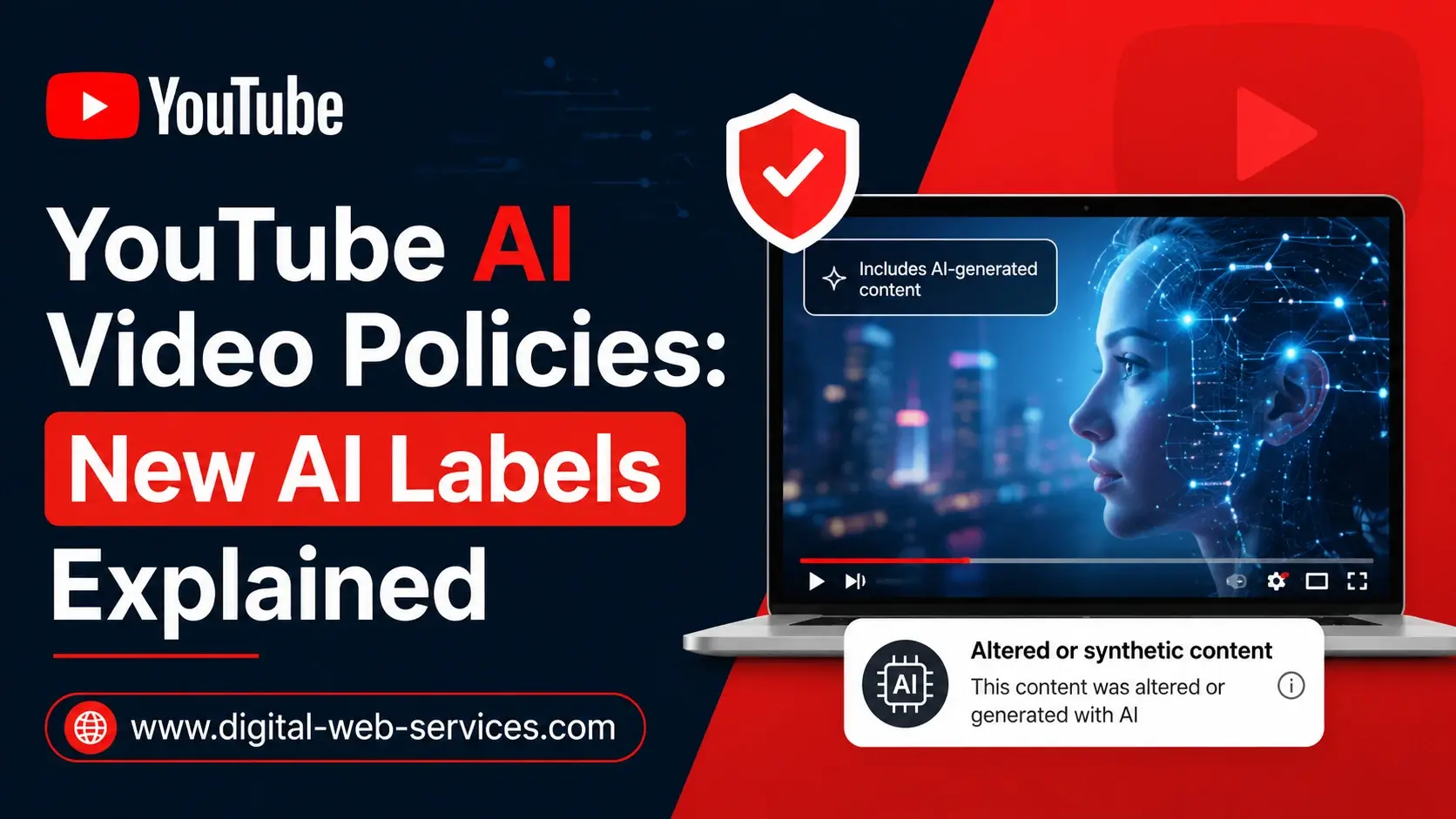
YouTube’s latest AI video policies are designed to make AI-generated content easier to identify for viewers. The platform is now placing more visible AI labels on videos that contain photorealistic or meaningfully altered AI content. These labels can appear below long-form videos and as overlays on YouTube Shorts. Creators are still expected to disclose realistic AI use during upload, but YouTube can also automatically apply AI labels when its systems detect significant AI-generated or altered content. The update matters because generative AI videos, deepfakes, synthetic media, and realistic AI scenes are becoming harder to separate from real footage. For creators, the message is simple: if AI makes something look real, changes what happened, or shows a person saying or doing something they did not do, it should be disclosed.
Why Did YouTube Update Its AI Video Policies?
YouTube updated its AI video policies because viewers want to know whether a video is real, edited, or created using artificial intelligence. AI tools can now create realistic people, voices, places, events, and news-like scenes. This makes AI-generated content powerful for creativity, but it also creates risk.
For example, a creator may use AI to show a fake storm hitting a real city, a public figure saying something they never said, or a realistic event that never happened. Without a clear AI disclosure, viewers may believe the video is real.
The new YouTube AI labels are meant to solve this problem by giving people context before they fully trust or share a video. This is especially important for topics like news, health, finance, elections, public safety, celebrity content, and major public events.
In simple words, YouTube is not banning AI videos. It is asking creators to be honest when AI changes reality in a meaningful way.
What Is the Main Change in YouTube AI Labels?
The biggest change is that YouTube AI labels are now more visible. Earlier, many AI disclosures appeared inside the expanded video description, where many viewers might not notice them. With the latest update, YouTube is moving important AI labels to places viewers can see faster.
For long-form YouTube videos, the AI label may appear directly below the video player and above the description. For YouTube Shorts, the AI label may appear as an overlay on the video itself.
This change is important for creators because disclosure is no longer hidden in the background. If a video uses realistic AI content, viewers may see the label before reading the description, checking comments, or visiting the channel page.
The purpose is not to punish creators. The purpose is to improve AI transparency on YouTube and help viewers understand how the content was made.
What Type of AI-Generated Content Must Creators Disclose?
Creators should disclose AI-generated content on YouTube when the content looks realistic and meaningfully changes what viewers may believe happened.
You should disclose AI use when your video includes:
- Realistic AI-generated people, faces, or voices.
- A real person appearing to say or do something they never said or did.
- AI-generated scenes that look like real-world footage.
- Altered footage of a real event, real place, or real person.
- Realistic AI-generated news-style clips.
- Deepfake-style content involving celebrities, politicians, creators, or private people.
- AI-generated disasters, crimes, protests, medical scenes, arrests, or public events that did not happen.
- AI-generated music or voice content where disclosure is required.
- The key test is simple: could a normal viewer believe this AI-generated or altered content is real? If yes, the safest option is to disclose it.
What Type of AI Content Does Not Usually Need Disclosure?
Not every use of AI needs a YouTube AI disclosure. YouTube understands that creators use AI tools in many normal parts of content production.
Creators usually do not need to disclose AI use when it is minor, unrealistic, or used only for production help.
Examples include:
- Using AI to write a video outline.
- Using AI to brainstorm title ideas.
- Creating automatic captions.
- Using AI to improve lighting or color.
- Adding beauty filters or background blur.
- Sharpening, repairing, or upscaling video quality.
- Creating a thumbnail concept.
- Using clearly animated or fantasy scenes.
- Using unrealistic AI visuals that no viewer would mistake for real footage.
- Creating scripts, hooks, or content ideas with AI assistance.
For example, if you use AI to improve your video script or generate a list of YouTube title ideas, that does not usually need an AI label. But if you use AI to create a realistic clip of a real person making a statement they never made, disclosure is required.
How Does YouTube Automatically Detect AI-Generated Videos?
YouTube is now using automatic AI detection signals to identify some AI-generated or meaningfully altered content. This means creators are still responsible for manual disclosure, but YouTube may also apply an AI label if a creator does not disclose and the platform detects significant photorealistic AI use.
This update is important because many viewers may not be able to identify AI deepfakes or synthetic media by sight. Automatic detection gives YouTube another way to add transparency even when creators forget, misunderstand the rule, or avoid disclosure.
However, creators still have some control. If a video is incorrectly flagged as AI-generated, creators may be able to adjust the disclosure status in YouTube Studio in many cases. But some AI labels cannot be removed, especially when the video was created with YouTube’s own AI tools or contains trusted metadata showing it is fully AI-generated.
What Are Permanent AI Labels on YouTube?
Some YouTube AI labels are permanent. That means creators cannot manually remove them from the video.
Permanent AI labels may appear when the content is created using YouTube’s own generative AI tools, such as Veo or Dream Screen. They may also appear when the video contains C2PA metadata showing that the content is fully generative AI.
C2PA metadata works like a digital content credential. It helps platforms understand how a piece of media was made and whether AI tools were involved. This is part of a larger movement toward content authenticity and source transparency.
For creators, this means one important thing: if your video is created with certain AI tools or carries AI content credentials, YouTube may keep the AI label on it permanently.
Where Will the YouTube AI Label Appear?
YouTube AI labels may appear in different places based on the type of video and the nature of the AI content. For long-form videos, the label may appear below the video player and above the description. This makes the AI disclosure easier to see before viewers scroll down. For YouTube Shorts, the label may appear as an overlay on the video. This matters because Shorts viewers usually watch quickly and may not open the description. For unrealistic, animated, or lightly edited AI content, the disclosure may still appear inside the expanded description instead of the main player area. This placement helps YouTube separate serious realistic AI content from simple creative editing or obvious animation.
Will YouTube AI Labels Affect Monetization?
A YouTube AI label alone does not automatically stop a video from earning money. The AI disclosure does not, by itself, change whether a video can be recommended or monetized.
This is an important point for creators. Many people worry that using AI-generated content on YouTube will instantly hurt their channel, reduce reach, or block monetization. That is not what the disclosure label is mainly designed to do.
However, creators still need to follow YouTube Community Guidelines, copyright rules, reused content policies, advertiser-friendly guidelines, and YouTube Partner Program rules. If AI content is misleading, harmful, stolen, low-quality, spammy, or violates policy, it can still face penalties.
So the better way to think about this is:
- AI disclosure is about transparency.
- Monetization depends on overall content quality, originality, policy compliance, and advertiser suitability.
How Can Creators Disclose AI Content in YouTube Studio?
Creators can disclose AI-generated or altered content during the upload process in YouTube Studio. When uploading a video, creators should look for the AI use or altered content disclosure option and answer honestly.
A simple creator workflow looks like this:
- First, review your video before uploading.
- Second, ask whether AI created or changed anything realistic.
- Third, check whether a real person, place, event, or voice could be misunderstood.
- Fourth, select the correct AI disclosure option in YouTube Studio.
- Fifth, add extra context in the description if needed.
- Sixth, avoid clickbait titles that make AI scenes look like confirmed real events.
This workflow helps protect both the creator and the audience. It also builds trust because viewers are less likely to feel misled.
What Are Real Examples of Content That Needs an AI Disclosure?
Here are practical examples that make the YouTube AI generated content policy easier to understand.
Example 1: A creator uploads a realistic AI video showing a famous actor announcing a movie they never joined. This needs disclosure because it makes a real person appear to say something they did not say.
Example 2: A news-style channel posts a realistic AI-generated video of a flood in a real city, but the flood never happened. This needs disclosure because viewers may believe it is real news.
Example 3: A finance creator shows an AI-generated clip of a CEO announcing a stock market decision. This needs disclosure and may require extra care because it could mislead investors.
Example 4: A travel creator uses AI to generate extra realistic footage of a real beach or mountain location. This may need disclosure if viewers could believe the footage was actually recorded there.
Example 5: A creator uses AI to make a cartoon dragon in a fantasy video. This usually does not need the same prominent disclosure because it is clearly unrealistic.
These examples show that the issue is not simply “AI or no AI.” The real issue is whether AI changes reality in a way that could confuse viewers.
How Do YouTube AI Policies Affect Shorts Creators?
YouTube Shorts creators should pay close attention to the new AI labels because Shorts move fast. A viewer may only watch for a few seconds, so an AI disclosure in the description may not be enough for realistic synthetic media.
With the new YouTube Shorts AI label, viewers can see an overlay directly on the Short when important AI disclosure is needed. This could affect how audiences react to AI-generated Shorts, especially those involving realistic people, fake news, celebrity deepfakes, AI voice cloning, or dramatic events.
For Shorts creators, the safest strategy is to be clear from the start. If the Short is AI-generated, say so in the title, caption, on-screen text, or description when useful. This can reduce confusion and improve trust.
A good example title is:
“AI-Generated Concept: What a Future City Could Look Like”
A risky title is:
“Breaking: This City Was Destroyed Last Night”
The first title creates transparency. The second title may mislead viewers if the scene is AI-generated.
How Do These Policies Affect AI Deepfakes?
AI deepfakes are one of the biggest reasons YouTube is improving AI video labels. A deepfake can make a person appear to say or do something they never did. This can damage reputations, mislead audiences, and spread false information.
YouTube’s AI video policies focus strongly on realistic altered or synthetic content. If a deepfake uses someone’s face, voice, identity, or likeness in a realistic way, creators should disclose it. In some cases, disclosure may not be enough if the content violates privacy, harassment, misinformation, or impersonation rules.
Creators should be extra careful with:
- Political figures.
- Celebrities.
- Journalists.
- Doctors.
- Financial experts.
- Private individuals.
- Children.
- Public safety officials.
A clear AI label may help viewers understand the content is synthetic, but it does not give creators permission to harm, defame, impersonate, or deceive people.
What Should Viewers Look for in AI-Labeled Videos?
Viewers should treat AI labels as context, not as an automatic warning that the video is bad. Many AI-generated videos are educational, creative, entertaining, or clearly fictional. The label simply tells viewers that AI played a meaningful role in creating or altering the content.
When you see a YouTube AI label, ask these questions:
- Is the video showing a real person?
- Is the video about news, health, money, law, elections, or public safety?
- Could this scene have been created by AI?
- Does the title make a strong real-world claim?
- Does the description explain how the video was made?
- Are there trustworthy sources supporting the claim?
This is especially useful when watching viral videos. AI content can look real, but a visible label can remind viewers to slow down before believing or sharing it.
What Is the Best AI Disclosure Workflow for YouTube Creators?
A strong AI disclosure workflow can save creators from mistakes. Here is a simple step-by-step process.
Step 1: List every AI tool used in the video.
Include AI video generators, voice cloning tools, image tools, script tools, editing tools, music tools, and enhancement tools.
Step 2: Separate production help from realistic AI content.
AI for captions, outlines, or lighting fixes is usually low risk. AI that creates realistic people, places, voices, or events is higher risk.
Step 3: Ask the viewer confusion question.
Would a reasonable viewer think this AI scene is real? If yes, disclose it.
Step 4: Use YouTube Studio disclosure honestly.
Do not avoid disclosure because you fear lower views. Transparency builds long-term trust.
Step 5: Add human context.
Use the description or pinned comment to explain what was AI-generated and why.
Step 6: Keep proof of your process.
Save prompts, project files, licenses, AI tool names, and source materials. This can help if a video is reviewed later.
Step 7: Review sensitive topics twice.
Be extra careful with health, finance, elections, disasters, public figures, crime, and breaking news.
This workflow gives creators a practical way to follow YouTube creator policy without guessing.
How Can Creators Use AI Safely Without Losing Audience Trust?
Creators can still use AI on YouTube in smart and ethical ways. The key is to use AI as a creative tool, not as a way to trick viewers.
Good uses of AI include:
- Creating visual concepts for education.
- Generating fictional scenes with clear labels.
- Improving accessibility with captions.
- Drafting scripts and outlines.
- Creating background music when allowed.
- Enhancing video quality.
- Making thumbnails with honest context.
- Translating or dubbing content responsibly.
Bad uses of AI include:
- Fake celebrity endorsements.
- False news footage.
- Fake emergency videos.
- Misleading political clips.
- AI voice scams.
- Fake medical claims.
- Deepfakes without context.
- Reposting low-quality AI spam.
A trustworthy creator does not hide AI use when it matters. Instead, they explain it clearly and focus on value, originality, and accuracy.
What Does This Mean for SEO and YouTube Ranking?
The YouTube AI disclosure label alone is not meant to reduce video reach. But viewer trust can still affect performance. If viewers feel tricked, they may leave quickly, dislike the video, report it, or avoid the channel later.
For better YouTube SEO, creators should use honest titles, clear descriptions, and accurate metadata. Instead of hiding AI use, make it part of the value.
For example:
- “AI-Generated History Reconstruction: Ancient Rome Street Scene”
- “Real vs AI: Can You Spot the Fake Travel Video?”
- “How I Used AI to Create a Futuristic City Concept”
- “AI Voiceover Tutorial: What Creators Need to Disclose”
These titles include useful keywords while setting the right expectation. This can improve audience satisfaction, watch time, and trust.
What Are Common Mistakes Creators Should Avoid?
Many creators may get into trouble not because they use AI, but because they use it carelessly.
Avoid these mistakes:
- Do not show AI-generated events as real breaking news.
- Do not use a real person’s face or voice in a misleading way.
- Do not assume small channels are ignored.
- Do not hide AI use in sensitive topics.
- Do not use AI labels as a replacement for fact-checking.
- Do not copy another creator’s style, voice, or likeness without permission.
- Do not upload mass-produced AI videos with no original value.
- Do not use fake authority, fake experts, or fake testimonials.
- Do not make thumbnails that misrepresent AI content as real evidence.
- Do not ignore YouTube Studio disclosure options.
- The best rule is simple: if AI changes what the viewer believes is real, be transparent.
How Can You Write a Good Description for AI-Generated YouTube Videos?
A good description can make your AI disclosure clearer and improve trust.
Here is a simple description template:
“This video includes AI-generated or AI-altered visual elements. The scenes are created for educational and creative purposes. Any realistic visuals are not actual footage unless clearly stated. Sources and context are provided where needed.”
For a fictional video, you can write:
“This is a fictional AI-generated concept video. It does not show a real event. It was created to visualize a possible future scenario.”
For a tutorial, you can write:
“This video explains how AI video tools work. Some examples shown are AI-generated for demonstration only.”
These simple statements help viewers understand your content and reduce confusion.
Why Is This Update Important for the Future of YouTube?
YouTube’s AI video policy update shows how online video is changing. In the past, viewers could often trust that a realistic video was recorded by a camera. Today, AI can create scenes that look real even when nothing happened.
This changes how creators, viewers, brands, journalists, educators, and advertisers use video. AI labels are becoming part of digital media literacy. They help people understand not only what they are watching, but how it was made.
For creators, this is also a chance to build stronger authority. Channels that are honest about AI use may earn more long-term trust than channels that try to hide it.
The future of YouTube will likely include more AI tools, more AI-generated content, more automatic detection, and stronger expectations around transparency. Creators who adapt early will be in a better position.
What Is the Quick Checklist for YouTube AI Video Policy Compliance?
Use this checklist before publishing AI-generated content on YouTube:
- Does the video include realistic AI-generated people, voices, places, or events?
- Could viewers mistake the AI content for real footage?
- Does the video involve news, health, finance, elections, crime, or public safety?
- Did AI make a real person appear to say or do something they did not do?
- Did AI alter footage of a real event or location?
- Did you select the correct AI disclosure option in YouTube Studio?
- Should you explain AI use in the description or pinned comment?
- Are your title and thumbnail honest?
- Do you have rights to all AI-generated music, voice, images, or video assets?
- Does the video provide original value beyond AI automation?
If you answer yes to the first few questions, you probably need to disclose AI use.
FAQs About YouTube AI Video Policies
Q: What is YouTube’s new AI video policy?
YouTube’s new AI video policy requires creators to disclose realistic AI-generated or meaningfully altered content. YouTube may also automatically apply AI labels when it detects significant photorealistic AI use.
Q: Does YouTube allow AI-generated videos?
Yes, YouTube allows AI-generated videos, but creators must follow disclosure rules, Community Guidelines, copyright rules, monetization policies, and advertiser-friendly content guidelines.
Q: When do I need to disclose AI content on YouTube?
You need to disclose AI content when it realistically shows a person, place, event, voice, or scene in a way that could make viewers believe something happened when it did not.
Q: Where does the YouTube AI label appear?
For long-form videos, the AI label may appear below the video player and above the description. For YouTube Shorts, it may appear as an overlay on the video.
Q: Will an AI label hurt my YouTube monetization?
An AI label alone does not automatically stop monetization. However, AI content must still follow YouTube Partner Program rules, copyright policies, advertiser guidelines, and Community Guidelines.
Q: Can YouTube automatically label my video as AI-generated?
Yes. YouTube can automatically apply an AI label if its systems detect significant photorealistic AI-generated or meaningfully altered content.
Q: Can I remove an incorrect YouTube AI label?
In many cases, creators can update the disclosure status in YouTube Studio if they believe the label is wrong. However, some labels cannot be removed, such as labels linked to YouTube AI tools or certain C2PA metadata.
Q: What is photorealistic AI content?
Photorealistic AI content is AI-generated or AI-altered media that looks like real camera footage, a real person, a real place, or a real event.
Q: Do I need to disclose AI-generated scripts or titles?
Usually no. Using AI for scripts, outlines, titles, captions, or brainstorming generally does not require the same disclosure unless the final video contains realistic AI-generated or meaningfully altered content.
Q: Do YouTube Shorts need AI disclosure?
Yes. If a Short contains realistic AI-generated or meaningfully altered content, it may need disclosure. YouTube can show the AI label as an overlay on Shorts.
Q: Are AI deepfakes allowed on YouTube?
AI deepfakes may be allowed only if they follow YouTube policies and are not misleading, harmful, infringing, or abusive. Realistic deepfakes involving real people should be disclosed and may still face removal if they violate other rules.
What happens if I do not disclose AI content on YouTube?
If creators repeatedly fail to disclose required AI content, YouTube may apply labels manually or take further action, including content removal or penalties under platform policies.
Final Thoughts: What Should Creators Do Now?
YouTube’s AI video policy update is not a ban on creativity. It is a transparency update. Creators can still use generative AI videos, AI editing tools, AI voiceovers, AI thumbnails, and AI-assisted workflows. The important point is to be honest when AI creates or changes realistic content.
If your video uses AI in a way that could confuse viewers about a real person, event, place, or statement, disclose it. Use clear titles, honest descriptions, and the correct YouTube Studio AI disclosure settings.
The creators who win in the AI era will not be the ones who hide AI. They will be the ones who use AI responsibly, add real human value, and build trust with their audience.

Maria Jain is a Senior Content Strategist and Tech Editor at Digital Web Services, with over 6+ years of experience covering digital marketing, website development, and search engine optimization. She specializes in WordPress site architecture, AI technologies, Web Hosting, topical authority models, and hands-on SaaS & affiliate tool reviews. Maria combines data-driven SEO practices with deep web design and technical insights to publish transparent guides, tool comparisons, and strategic tutorials for digital growth.