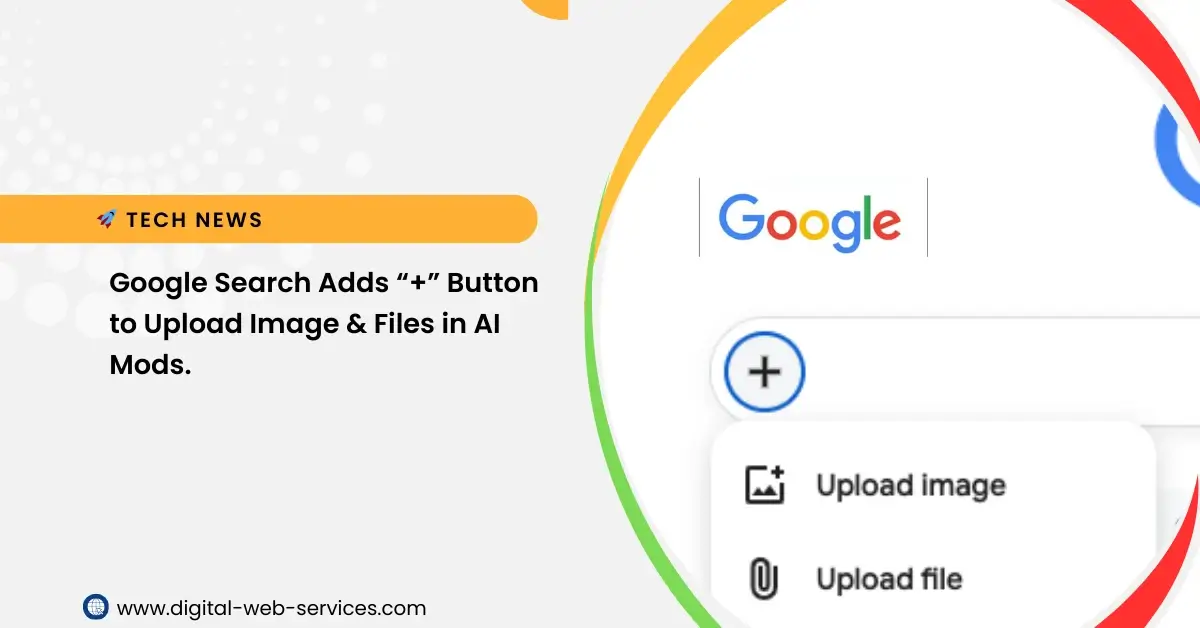
In late December 2025, Google quietly rolled out one of its most consequential interface updates in years.2 The iconic magnifying glass on the left side of the Google Search bar has been replaced for many users by a simple “+” (plus) button.3 This change isn’t just aesthetic; it represents a fundamental pivot in how we interact with the web—moving from searching for keywords to analyzing complex data.
What is the New “+” Button?
The plus button is a direct “fast-track” to Gemini-powered AI Mode.4 Previously, if you wanted an AI to analyze a document, you had to navigate to the Gemini web app or find the specific “AI Mode” tab after performing a text search. Now, the entry point for AI analysis is as prominent as the search box itself.
How to Use It:
- Locate the Icon: On the desktop version of Google.com, look at the far left of the search bar.5
- Choose Your Format: Clicking the button opens a dropdown with two primary options: “Upload image” and “Upload file.”6
- Instant Transition: Once a file is selected, Google bypasses the traditional list of blue links and drops you directly into AI Mode, where the AI is already prepared to discuss the uploaded content.7
Supported Capabilities and File Types
While Google has long offered “Search by Image” via Google Lens, the new plus button is different. While Lens identifies objects (e.g., “What plant is this?”), the AI Mode accessed through the plus button reasons over content (e.g., “Summarize the financial risks mentioned in this PDF”).
| Feature | Details |
| Image Support | JPG, PNG, WEBP, and screenshots. |
| Document Support | Primarily PDFs (with .docx and .xlsx support expanding). |
| Processing Power | Powered by the Gemini 3 model. |
| Analysis Style | Conversational; allows for complex follow-up questions. |
Why This Matters: The Death of the “Keyword”
For decades, Google Search was about “Query → Results.” You typed words, and Google found websites containing those words. The plus button introduces a “Context → Answer” workflow.
- For Professionals: You can upload a 50-page legal brief and immediately ask, “What are the termination clauses?” without ever leaving the Google homepage.9
- For Students: A photo of a complex math problem or a scientific diagram can be analyzed for step-by-step explanations.
- For Consumers: Uploading a PDF of a technical manual allows you to ask, “How do I reset the filter?” instead of hunting through pages of text.10
Pro Tip: If you are using a workspace account, your administrator may need to enable “Gemini for Workspace” for the file upload feature to appear.
Availability and Limitations
As of January 2026, the feature is currently in a phased global rollout.
- Desktop First: The button is exclusive to desktop browsers (including Incognito mode).11 Mobile users are still encouraged to use the Google App’s “Lens” and “Gemini” shortcuts.
- Single File Limit: Currently, the search bar shortcut allows for one file to be uploaded at a time. For batch processing (up to 10 files), users still need to use the full Gemini interface.
- Regional Access: It is fully live for English users in the US and UK, with European and Asian markets receiving the update throughout Q1 2026.
The Bigger Picture: Competition with OpenAI
This update is widely seen as Google’s response to the integration of “Search” into ChatGPT. By placing the plus button on the most visited URL in the world (google.com), Google is leveraging its massive “real estate” to ensure users stay within its ecosystem rather than switching to third-party AI tools for document analysis.

Maria Jain is a Senior Content Strategist and Tech Editor at Digital Web Services, with over 6+ years of experience covering digital marketing, website development, and search engine optimization. She specializes in WordPress site architecture, AI technologies, Web Hosting, topical authority models, and hands-on SaaS & affiliate tool reviews. Maria combines data-driven SEO practices with deep web design and technical insights to publish transparent guides, tool comparisons, and strategic tutorials for digital growth.