Core Web Vitals are essential for website performance, affecting how users interact with your site. One critical issue that often appears in Google’s Search Console is the INP (Interaction to Next Paint) issue, especially when it takes longer than 200 ms on mobile devices. If your site has this error, it means your mobile users are facing delays that can harm their experience and impact your SEO rankings. Let’s break down what INP is, why it’s important, and how to fix this issue to improve your site’s performance.
What Is INP?
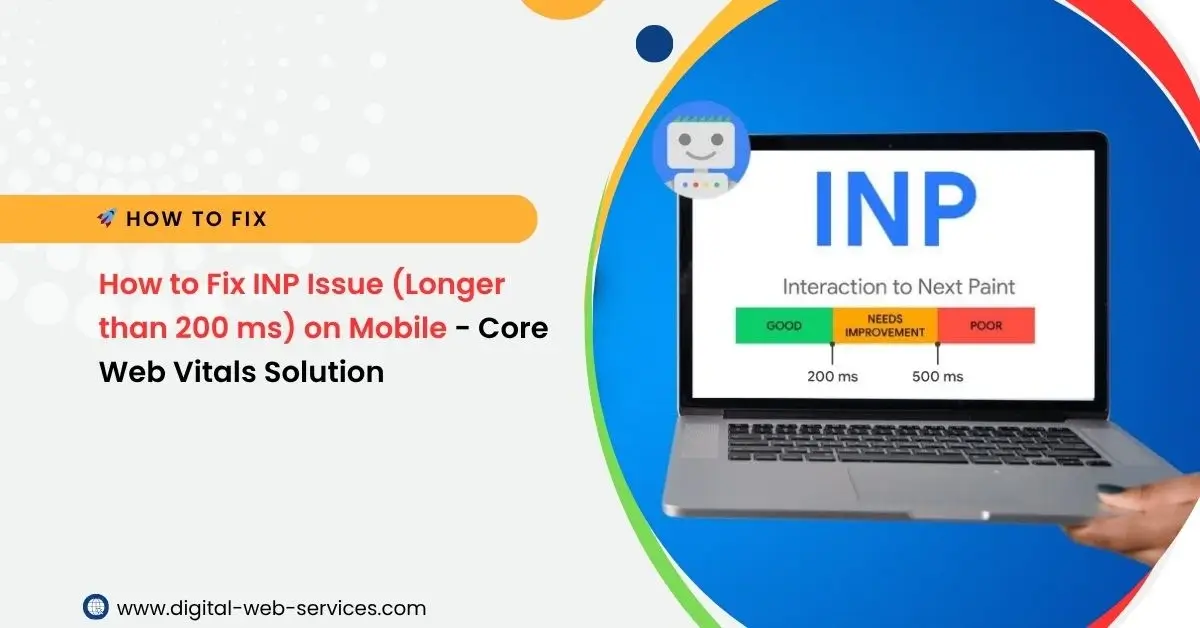
INP stands for Interaction to Next Paint. It measures the time it takes for a webpage to respond to a user’s action, like clicking a button or tapping a link, and for the browser to show the next visual update (paint). Ideally, this should happen quickly, especially on mobile devices, to ensure a smooth user experience. If this takes longer than 200 milliseconds, Google considers it a problem.
Why Is INP Important?
- User Experience: Slow interactions frustrate users. If a button or link takes too long to respond, users may leave your site, which increases your bounce rate.
- SEO Impact: Google uses Core Web Vitals, including INP, as ranking factors. A slow INP can hurt your search rankings.
- Mobile Users: Mobile devices have different performance characteristics, so it’s crucial to optimize them for faster response times.
Common Causes of INP Issues
- JavaScript Delays:
Heavy or inefficient JavaScript can block the main thread, delaying user interactions. This is often the main culprit for slow INP times.
- Rendering Issues:
Complex layouts and large images can cause delays in rendering when users interact with your page.
- Server Response Time:
Slow server responses, like delays in loading data, can also cause a lag in user interactions.
How to Fix INP Issues
1. Optimize JavaScript
- Remove Unused JavaScript: Use tools like Chrome DevTools or Lighthouse to identify and remove unused or redundant scripts.
- Defer Non-Essential Scripts: Move scripts that aren’t essential to load immediately (like analytics) to load after the main content.
- Minify and Compress Code: Reduce the size of your JavaScript files by minifying and compressing them to improve load time.
2. Reduce JavaScript Blocking
- Asynchronous Loading: Make sure that JavaScript files are loaded asynchronously so they don’t block the main thread. This can be done by adding async or defer attributes to script tags.
3. Optimize Server Response Times
- Improve Server Speed: Use a fast, reliable hosting provider. Consider a content delivery network (CDN) to reduce latency by serving content closer to the user.
- Cache Content: Cache static resources to avoid reloading the same assets for every interaction.
4. Image and Asset Optimization
- Lazy Load Images: Lazy loading only loads images when they are about to be seen, reducing the initial load time and improving the responsiveness of interactions.
- Compress Images: Use tools like ImageOptim or TinyPNG to reduce image sizes without compromising quality.
5. Use Web Workers
- Web workers help run scripts in the background without blocking the main thread. This improves responsiveness by offloading heavy tasks from the user interface.
6. Test Regularly
- Regularly check the performance of your site on mobile using PageSpeed Insights or Web Vitals tools. Monitor your INP scores and make adjustments as needed.
Tools to Monitor INP Performance
- Google Search Console: It gives detailed insights into your Core Web Vitals, including INP.
- Lighthouse: Use this in Chrome DevTools to audit your page performance and get actionable suggestions.
- Web Vitals Extension: This browser extension helps track your site’s real-time performance metrics, including INP.
Conclusion
INP issues that take longer than 200 ms on mobile can seriously affect user experience and your site’s ranking. By optimizing JavaScript, server response time, and image loading, you can significantly improve your INP score. Regular testing with the right tools ensures you stay on top of your site’s performance and continue delivering fast, responsive experiences for users.

Maria Jain is a Senior Content Strategist and Tech Editor at Digital Web Services, with over 6+ years of experience covering digital marketing, website development, and search engine optimization. She specializes in WordPress site architecture, AI technologies, Web Hosting, topical authority models, and hands-on SaaS & affiliate tool reviews. Maria combines data-driven SEO practices with deep web design and technical insights to publish transparent guides, tool comparisons, and strategic tutorials for digital growth.