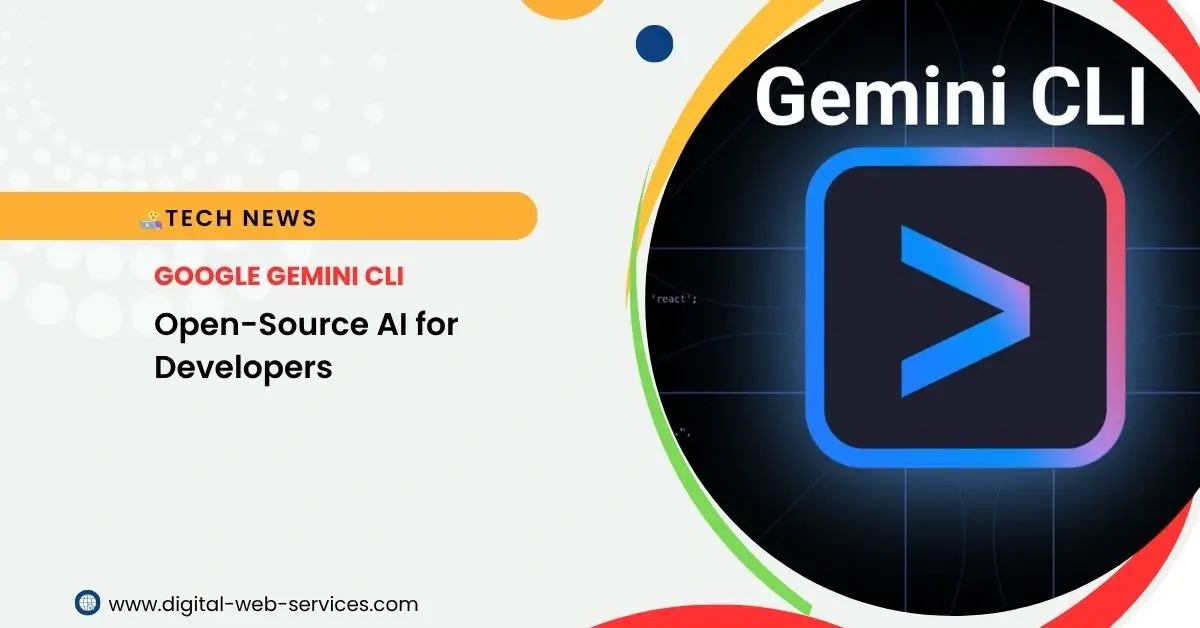
Google has recently made a significant stride in democratizing AI access for developers with the launch of its Gemini CLI (Command Line Interface) tool. This open-source AI agent empowers developers to harness the power of Gemini AI models directly from their terminal, promising a transformative shift in how coding, debugging, and task management are performed.
For developers who live in the command line, the Gemini CLI is a game-changer. It integrates AI assistance into their native environment, offering a seamless and intuitive way to interact with powerful AI models. Far beyond simple code completion, this tool acts as an intelligent agent, capable of understanding complex instructions, generating entire application components, and even automating deployment processes.
Key Features of Google Gemini CLI
The Gemini CLI stands out with a robust set of features designed to enhance developer productivity and broaden the scope of AI applications:
- AI-Powered Coding Assistant: At its core, the Gemini CLI is built to streamline the development workflow. It can generate code, assist with debugging, and even facilitate complex code migrations using natural language commands.
- Generous Free Tier: One of the most compelling aspects is its accessibility. Individual developers can get a free Gemini Code Assist license by simply logging in with a personal Google account. This provides access to the powerful Gemini 2.5 Pro model with a massive 1 million token context window, and for the preview period, Google offers an impressive 60 model requests per minute and 1,000 requests per day at no charge.
- Seamless Integration with Gemini Code Assist: The CLI tool is integrated with Google’s existing AI coding assistant, Gemini Code Assist, offering a consistent AI-first coding experience across both the terminal and popular IDEs like VS Code.
- Total AI Power in Your Terminal: It enables developers to write code, debug issues, and manage their workflow with natural language. Its capabilities extend to grounding prompts with Google Search for real-time, external context, extending its functionality through the Model Context Protocol (MCP) and bundled extensions, and customizing prompts for tailored workflows.
- Extensible and Customizable: Built on emerging standards like MCP and system prompts (via GEMINI.md), the Gemini CLI is designed to be highly extensible. Developers can customize settings for personal and team configurations, fostering a truly personalized development environment.
- Completely Open Source: Released under the Apache 2.0 license, the Gemini CLI invites community contributions. Developers can view the code, understand its internal workings, and actively participate in its enhancement by reporting bugs, proposing features, and improving security via GitHub.
- Versatile Utility Beyond Coding: While it excels at coding, the Gemini CLI is also a powerful general-purpose AI agent. It can be used for a wide range of tasks, including content generation, deep research, and complex task management. It can even connect to other AI models like Imagen and Veo for image and video generation.
- Cross-Platform Support: The Gemini CLI is available for Windows, macOS, and Linux, ensuring broad accessibility for developers across different operating systems.
- Cloud Operations and Automation: It can assist with deploying applications, managing cloud resources, configuring environments, and automating repetitive administrative and DevOps tasks.
Benefits of Use Google Gemini CLI
The introduction of the Gemini CLI brings a multitude of benefits to developers and teams:
- Accelerated Development Cycles: By automating repetitive coding tasks, generating boilerplate, and assisting with debugging, the Gemini CLI significantly reduces development time.
- Enhanced Productivity: Developers can remain in their preferred terminal environment while leveraging advanced AI capabilities, minimizing context switching and streamlining workflows.
- Democratization of Advanced AI: The generous free tier and open-source nature make cutting-edge AI models accessible to individual developers and small teams, leveling the playing field with larger organizations.
- Improved Code Quality: With AI assistance for code generation, refactoring, and testing, developers can produce more robust and reliable code.
- Simplified Complex Tasks: From understanding large codebases to migrating applications between frameworks, the Gemini CLI can break down and assist with traditionally time-consuming and complex operations.
- Increased Innovation: By offloading mundane tasks to the AI, developers can focus on more creative problem-solving and innovation.
- Enhanced Data Privacy (Local Operation): Unlike some cloud-based AI services, Gemini CLI can process information directly on the user’s machine, ensuring that sensitive data and proprietary code remain within the user’s control.
Use Cases:
The versatility of the Gemini CLI opens up a vast array of practical applications:
- Coding & Debugging:
- Generating code snippets or entire application components from natural language descriptions.
- Identifying and suggesting fixes for bugs by analyzing error messages and logs.
- Refactoring code for improved maintainability and performance.
- Generating unit tests automatically.
- Project Management & Automation:
- Automating build, deployment, and testing pipelines.
- Managing Git workflows, such as querying pull requests or handling complex rebases.
- Converting repetitive tasks into AI-driven commands.
- Content Creation & Research:
- Generating text-based content, from documentation to marketing copy.
- Performing deep web research and summarizing findings.
- Creating visual assets like diagrams, images, and even short videos (with relevant extensions like Imagen and Veo).
- System Interaction:
- Converting image formats and renaming files based on metadata.
- Organizing digital assets and documents.
- Interacting with cloud services and databases through natural language commands.
- Automating cloud resource management and configuration.
How to Get Started with Gemini CLI
Getting started with the Gemini CLI is remarkably straightforward:
1. Prerequisites: Ensure you have Node.js version 18 or higher installed on your machine.
2. Installation: Open your terminal and run the following command:
Bash
npm install -g @google/gemini-cli
3. Launch: After installation, simply type gemini in your terminal to launch the interactive CLI.
4. Authentication: The CLI will guide you through choosing a theme and then authenticating. The recommended method is “Login with Google,” which grants access to the free tier. For higher rate limits or enterprise access, you can also use a Google AI Studio or Vertex AI key.
5. Start Prompting: Once authenticated, you can begin interacting with Gemini directly from your shell. Use @ to reference local files and / for built-in commands (e.g., /help for a list of commands).
Frequently Asked Questions (FAQs)
Q: What is the Gemini CLI?
A: The Gemini CLI is an open-source command-line interface tool by Google that brings the power of Gemini AI models directly into your terminal, acting as an AI agent to assist with a wide range of tasks, especially coding and development.
Q: Is the Gemini CLI free to use?
A: Yes, it offers a generous free tier for individual developers. By logging in with a personal Google account, you get access to Gemini 2.5 Pro with a 1 million token context window, and an allowance of 60 model requests per minute and 1,000 requests per day.
Q: What AI model does the Gemini CLI use?
A: By default, it uses the Gemini 2.5 Pro model, known for its powerful capabilities and large context window.
Q: Can Gemini CLI help me write and debug code?
A: Absolutely. It’s designed to assist with code generation, debugging, refactoring, and even testing, all through natural language instructions.
Q: Is it truly open-source?
A: Yes, the Gemini CLI is open-source under the Apache 2.0 license. The full source code is available on GitHub, and community contributions are encouraged.
Q: What operating systems does it support?
A: The Gemini CLI is compatible with Windows, macOS, and Linux.
Q: Can I use it for tasks beyond coding?
A: Yes, it’s a versatile utility capable of content generation, deep research, task management, and even multimodal creation (images, video) with relevant extensions.
Q: How does it handle sensitive data?
A: A significant advantage is its ability to process information locally on your machine, which enhances data privacy and security by keeping proprietary code and confidential documents within your control.
Q: What is the Model Context Protocol (MCP)?
A: MCP is an emerging standard that allows AI agents like Gemini CLI to connect to external tools and data sources in a structured way, expanding its capabilities to interact with databases, cloud services, and custom APIs.
Q: What are the system requirements?
A: You need Node.js version 18 or higher installed on your machine to use the Gemini CLI.
Conclusion
Google’s Gemini CLI is more than just a new tool; it represents a significant leap in how developers interact with AI. By seamlessly integrating powerful AI capabilities into the familiar command-line environment, it promises to redefine developer productivity, democratize access to advanced AI, and unlock new possibilities for automation and innovation. Its open-source nature further cements its potential as a collaborative and evolving platform, poised to become an indispensable part of the modern developer’s toolkit.
| Also Read: YouTube Launches AI-powered Search Carousel for Android and iOS Users
You can follow us on Google News for more interesting, latest news and updates


Maria Jain is a Senior Content Strategist and Tech Editor at Digital Web Services, with over 6+ years of experience covering digital marketing, website development, and search engine optimization. She specializes in WordPress site architecture, AI technologies, Web Hosting, topical authority models, and hands-on SaaS & affiliate tool reviews. Maria combines data-driven SEO practices with deep web design and technical insights to publish transparent guides, tool comparisons, and strategic tutorials for digital growth.